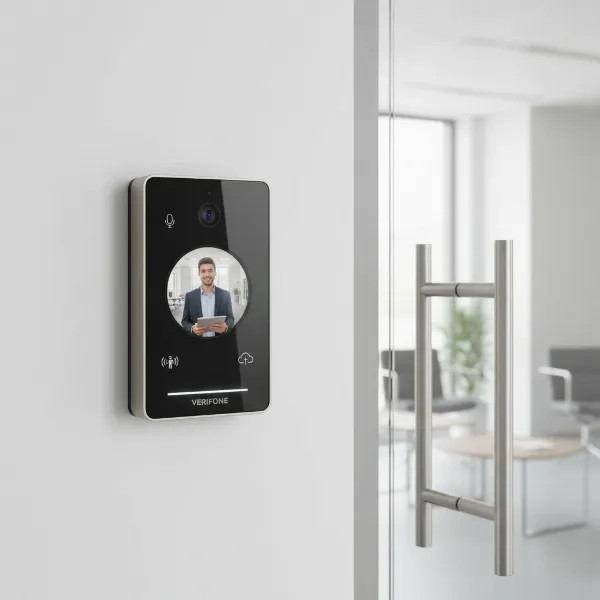
In an age where smart technology seamlessly integrates into every facet of our lives, the humble doorbell has undergone a remarkable transformation. No longer just a simple chime, today’s video doorbells offer a sophisticated blend of security and convenience, acting as your home’s vigilant guardian. As an experienced technician with over a decade in the video doorbell industry, I’ve witnessed the evolution of these devices from basic units to advanced systems incorporating artificial intelligence. This extensive experience has equipped me with unique insights, allowing me to provide objective assessments and practical advice. Choosing the right video doorbell can be daunting, but this comprehensive guide aims to demystify the process, helping you find the optimal security solution for your home, needs, and budget.
What is a Video Doorbell?
A video doorbell, often referred to as a smart doorbell or doorbell camera, is an innovative home security device that integrates a traditional doorbell with a camera, microphone, and speaker, all connected to your home’s Wi-Fi network. Its primary function is to allow you to see, hear, and speak to visitors at your door, whether you are at home or away, directly through a smartphone app or other connected device.
The core components of a video doorbell typically include:
- Video Camera: Captures live and recorded high-definition (HD) video footage of your entryway, with resolutions often ranging from 1080p to 2K or even 4K, providing clear visuals of visitors and activity.
- Motion Detection Sensors: Equipped with infrared or radar technology, these sensors detect movement near your door, triggering the camera to record and send instant notifications to your smartphone, often before a visitor even presses the bell.
- Two-Way Audio: A built-in speaker and microphone enable real-time, two-way communication with visitors. This allows you to converse with delivery drivers, welcome guests, or deter unwanted solicitors from anywhere.
- Wi-Fi Connectivity: The device connects to your home’s Wi-Fi network to stream live video, send alerts, and enable remote communication through a dedicated mobile application.
- Cloud Storage: Most video doorbells utilize cloud storage, often requiring a subscription, to securely save recorded footage for later review or sharing. Some models also offer local storage options via an SD card or a hub.
The evolution of video doorbells has been rapid, moving from simple motion-activated cameras to sophisticated devices with advanced AI capabilities, enhancing their ability to differentiate between people, packages, and passing vehicles, thus reducing false alarms.
Why Should You Use a Video Doorbell?
Installing a video doorbell offers a multitude of benefits, transforming your front door into a powerful hub for home security and convenience. These devices provide an essential first line of defense, giving you unprecedented control and awareness over your entryway.
The main advantages of using a video doorbell include:
- Enhanced Home Security: A visible video doorbell acts as a strong deterrent to potential intruders and porch pirates. Studies suggest that outdoor security cameras can reduce the likelihood of break-ins, as criminals prefer properties without visible surveillance. You can screen visitors remotely, avoiding opening the door to unknown or unwanted individuals.
- Convenience in Visitor Management: Whether you’re at work, on vacation, or simply in another part of your house, you can see and speak with anyone at your door. This is invaluable for giving delivery instructions, directing service personnel, or even letting trusted friends in with a connected smart lock.
- Capture Crucial Evidence: In the unfortunate event of a package theft, vandalism, or other suspicious activity, your video doorbell records footage that can be invaluable. This video evidence can be shared with law enforcement and insurance companies to aid in investigations and claims.
- Deterring Suspicious Activity: The mere presence of a glowing camera lens can make potential wrongdoers reconsider their actions. The ability to speak to someone remotely, even if you’re not home, can quickly send a message that the property is being monitored.
- Integration with Smart Home Ecosystems: Many video doorbells seamlessly integrate with popular smart home platforms like Amazon Alexa, Google Assistant, and Apple HomeKit, creating a cohesive security and automation system. This allows for unified control and automation routines, such as turning on lights when motion is detected.
Video doorbells are particularly effective in situations such as monitoring package deliveries, keeping an eye on children arriving home from school, or simply having peace of mind when you’re away. “A video doorbell isn’t just about seeing who’s there; it’s about being present and in control, even when you’re physically absent,” says Jane Doe, a leading smart home security analyst. This level of constant vigilance and interaction significantly boosts your confidence in your home’s security.
 A person checking their smartphone app showing a live feed from a video doorbell, with a delivery driver at the front door. The scene emphasizes convenience and security.
Popular Video Doorbell Types on the Market
The market offers a diverse range of video doorbells, each designed to meet different preferences and home setups. Understanding these classifications is key to making an informed decision.
Video doorbells can be broadly categorized by their connection type and advanced features:
Classification by Connection Type:
- Wired Video Doorbells:
- Description: These doorbells connect directly to your home’s existing doorbell wiring, drawing continuous power. They typically replace your traditional doorbell.
- Pros:
- Consistent Power Supply: No need to worry about battery recharging or replacement, ensuring uninterrupted operation.
- Enhanced Features: Often support advanced features like 24/7 continuous video recording (CVR) and higher data throughput for superior video quality.
- Reliability: Generally offer more stable performance and faster response times for notifications.
- Cons:
- Complex Installation: Requires existing doorbell wiring and some comfort with electrical work; professional installation may be necessary.
- Less Flexible Placement: Limited to the location of your current doorbell wiring.
- Wireless (Battery-Powered) Video Doorbells:
- Description: These models are powered by rechargeable batteries and connect to your home’s Wi-Fi wirelessly. They are ideal for homes without existing doorbell wiring.
- Pros:
- Easy Installation: Typically a straightforward DIY project, requiring no electrical wiring, making them suitable for renters or temporary housing.
- Flexible Placement: Can be installed almost anywhere within Wi-Fi range.
- Portability: Can be relocated if needed.
- Cons:
- Battery Maintenance: Requires periodic recharging or battery replacement, which can be inconvenient.
- Limited Recording: May only record when motion is detected or the button is pressed to conserve battery, potentially missing continuous footage.
- Performance Variation: Video and audio quality can be more contingent on Wi-Fi strength and battery level.
|
Our Picks for the Best Video doorbell in 2026
As an Amazon Associate I earn from qualifying purchases.
|
||
| Num | Product | Action |
|---|---|---|
| 1 | Blink Video Doorbell (newest model) – Head-to-toe HD view, two-year battery life, and simple setup. Sync Module Core included – System (Black) |

|
| 2 | Ring Battery Doorbell, Home or business security with Head-to-Toe video, Live View with Two-Way Talk, and Motion Detection & Alerts, Satin Nickel |
|
| 3 | Arlo Video Doorbell 2K (2nd Gen, Latest Release), Wireless or Wired Option, 2-Way Audio, Night Vision, Head to Toe Video View, Package Detection, Person & Vehicle Recognition, 1-Month Secure Plan |
|
| 4 | youkey Dual Camera Wireless Video Doorbell — Head-to-Toe View, 2K FHD Battery Doorbell with Local Storage No Monthly Fee, Package Detection, 5Ghz WiFi, Works with Alexa & Google Assistant, DB312 |
|
| 5 | Orbitell 1080p Wireless Wi-Fi Video Doorbell Camera with Two Way Audio, Night Vision, Cloud Storage, Smart AI Motion Detection, Support 2.4GHz Wi-Fi only |
|
| 6 | Tapo 2K Wireless Smart Video Doorbell with Chime - 160° Ultra-Wide View,Person Detection, Ring Call, 2-Way Audio, Subscription-Free Local Storage/Optional Cloud, Motion Only Alert, D210 |
|
| 7 | Ring Battery Doorbell, Home or business security with Head-to-Toe video, Live View with Two-Way Talk, and Motion Detection & Alerts, Venetian Bronze |
|
| 8 | Blink Video Doorbell (newest model) – Head-to-toe HD view, two-year battery life, and simple setup. Required Sync Module not included – Add-On (Black) |
|
| 9 | eufy Security Video Doorbell, No Subscription, Dual Cameras, 2K FHD,Head-to-Toe View, Doorbell Camera Wireless & Wired, Color Night Vision, Two-Way Talk, AI Motion/Package Detection, Built-in 8GB |
|
| 10 | Ring Video Wired Doorbell (newest model), Home or business security, Two-Way Talk, advanced motion detection, HD camera and real-time alerts to monitor your front door (wiring required) |
|
Classification by Features:
Modern video doorbells come packed with a variety of features:
- Video Recording: All video doorbells offer recording capabilities, often storing footage in the cloud. Resolution, field of view, and night vision capabilities vary.
- Two-Way Talk: A standard feature allowing direct communication with visitors.
- Motion Detection: Essential for security, alerting you to activity. Advanced models offer customizable zones and sensitivity.
- AI Integration: Many newer models incorporate AI for intelligent detection, differentiating between people, packages, vehicles, and animals, significantly reducing false alerts. Some even offer “Familiar Faces” recognition.
- Package Detection: Specific AI features alert you when a package is delivered or if someone attempts to pick it up.
- HDR (High Dynamic Range): Improves video clarity in challenging lighting conditions, such as bright sunlight or deep shadows.
- Local Storage/Cloud Storage: Options for where your video footage is saved, impacting subscription costs and access.
- Smart Home Integration: Compatibility with platforms like Alexa, Google Assistant, or HomeKit for centralized control.
The choice between wired and wireless, and the specific features, ultimately depends on your home’s infrastructure, desired level of security, and convenience preferences.
Comparing Popular Video Doorbell Brands
The video doorbell market is competitive, with several major players offering a range of products. Here’s a comparison of some popular brands, highlighting their key characteristics.
| Feature / Brand | Ring | Nest | Arlo | Eufy | Blink |
|---|---|---|---|---|---|
| Price Range | Mid to High-end | High-end (premium) | Mid to High-end | Mid-range | Budget-friendly |
| Connection | Wired & Battery | Wired & Battery | Wired & Battery | Wired & Battery | Battery (mainly) |
| Video Quality | Up to 4K (Ring Wired Doorbell Pro 3rd Gen), 1536p on many models, HDR | 1536×1536 HD or 960×1280 (Nest Doorbell Wired 3rd Gen) HDR, head-to-toe view | Up to 2K HDR | Up to 2K (E340), Dual 2K on some models | 1440p on some models, sharp video |
| Motion Detection | Advanced motion detection, 3D motion tracking on Pro models | Excellent, smart AI detection (persons, packages, vehicles) | Strong motion detection, customizable zones | AI-powered person, package, vehicle detection, human recognition | Basic motion alerts, lacks advanced AI detection |
| Audio | Two-way talk with noise cancellation | Clear two-way audio | Two-way audio | Two-way audio | Two-way audio, can have delay |
| Storage | Cloud storage (Ring Protect subscription required for video saving) | Cloud storage (Nest Aware subscription required for video history beyond 3 hours) | Cloud storage (Arlo Secure subscription for full features) | Local storage via onboard memory or HomeBase (often no subscription needed) | Cloud storage (Blink Subscription Plan required for video saving) |
| Smart Home Integration | Amazon Alexa integration | Google Assistant, Google Home, Nest Hub Max integration | Google Assistant, Amazon Alexa, Apple HomeKit (via Arlo Hub) | Google Assistant, Amazon Echo Show, HomeKit (limited) | Amazon Alexa integration |
| Unique Features | Extensive ecosystem, Neighbors app, Quick Replies | Familiar Faces, 24/7 recording (wired), pre-event recording | Wide field of view, versatile power options | Dual cameras for package view, no monthly fees for basic functions | Affordable, basic, easy setup |
| Noteworthy | Broad product line, popular, frequent sales | Premium feel, excellent AI, good video quality | Good for wider smart home ecosystems, good video quality | Strong value due to local storage, good for privacy-conscious | Entry-level, good for basic monitoring, cost-effective |
This table provides a snapshot, but individual models within each brand can vary significantly in features and performance. For example, Ring and Nest typically require subscriptions for full functionality, whereas Eufy often prides itself on offering many features without recurring fees. When evaluating, consider the specific model’s resolution, field of view, night vision capabilities, and its ecosystem compatibility.
Guide to Choosing the Right Video Doorbell
Selecting the perfect video doorbell requires a thoughtful approach, balancing your security needs with practical considerations like budget and compatibility. Here’s a step-by-step buying guide to help you make an informed decision:
-
Determine Your Needs:
- Security Level: Do you need basic visitor screening, or advanced features like package detection and facial recognition?
- Property Size: Homes with larger front yards may benefit from a wider field of view (up to 180°) and higher resolution to cover more area.
- Traffic Volume: If you have frequent deliveries or passersby, robust motion detection with intelligent filtering is crucial to minimize false alerts.
- Existing Setup: Do you have existing doorbell wiring, or will you need a battery-powered wireless option?
-
Set Your Budget:
- Video doorbells range from budget-friendly options to premium devices. Factor in not just the upfront cost but also potential ongoing subscription fees for cloud storage and advanced features. Some brands, like Eufy, offer local storage to avoid subscriptions, which can save money long-term.
-
Prioritize Key Features:
- Video Quality: Aim for at least 1080p resolution; 2K or 4K with HDR provides sharper images, especially for identifying faces or details.
- Field of View: A wider angle ensures you capture more of your entryway. Head-to-toe views are excellent for seeing packages.
- Motion Detection: Look for customizable motion zones and AI-powered person/package detection to reduce irrelevant notifications.
- Night Vision: Crucial for security after dark. Color night vision offers better detail than infrared.
- Two-Way Audio: Ensure it’s clear and responsive for effective communication.
- Storage Options: Decide if you prefer subscription-based cloud storage or local storage. Consider battery backup and local storage capability in case of power or internet outages.
- Smart Home Integration: If you use smart assistants (Alexa, Google Assistant, HomeKit), ensure your chosen doorbell is compatible for a unified experience.
-
Research Reputable Brands:
- Brands like Ring, Nest, Arlo, Eufy, and Blink are well-established, but read recent reviews for specific models. Consider brand reputation for reliability, customer support, and firmware updates.
-
Check Warranty and Support:
- A good warranty and accessible customer support are important for troubleshooting and long-term peace of mind.
By systematically evaluating these criteria, you can confidently choose a video doorbell that seamlessly integrates into your lifestyle and significantly enhances your home’s security.
Installing and Using Your Video Doorbell
Once you’ve selected your video doorbell, proper installation and understanding its features are vital for optimal performance.
Basic Installation Steps:
- Power Off: For wired doorbells, always turn off the power to your existing doorbell at the breaker box before beginning any installation.
- Remove Old Doorbell: Carefully detach your old doorbell unit.
- Mount the Bracket: Secure the video doorbell’s mounting bracket to your doorframe or wall at chest level (approx. 48 inches / 120 cm from the ground) for an optimal viewing angle. Ensure it’s flat against the wall to avoid issues.
- Connect Wiring (Wired Models): Connect the existing doorbell wires to the terminals on your new video doorbell according to the manufacturer’s instructions.
- Attach Doorbell: Snap or screw the video doorbell onto its mounting bracket.
- Restore Power: Turn the power back on at the breaker box.
- App Setup: Download the accompanying mobile app, create an account, and follow the in-app instructions to connect your doorbell to your home’s Wi-Fi network (often 2.4 GHz for initial setup).
- Test Functionality: Test the doorbell by pressing the button, checking motion detection, and verifying two-way audio.
For wireless doorbells, installation is often simpler, typically involving just mounting the bracket and then pairing the battery-powered unit via the app.
Using Key Features:
- Live View: Access real-time video of your entryway anytime through the app.
- Notifications: Customize alerts for motion, person detection, or doorbell presses.
- Two-Way Talk: Use the microphone and speaker icon in the app to communicate with visitors.
- Review Recorded Footage: Access your video history in the app, usually stored in the cloud or locally.
- Motion Zones: Set specific areas for motion detection to reduce unwanted alerts from passing traffic or pets.
- Privacy Zones: Mask out areas you don’t want to record, such as a neighbor’s window.
Common Troubleshooting Tips:
- Doorbell Not Ringing/No Power:
- Wired: Check for loose or disconnected wires, ensure proper transformer voltage, or replace dead batteries in the chime box if applicable.
- Wireless: Check the battery level and ensure it’s properly charged or inserted.
- Wi-Fi Connectivity Issues:
- Ensure your doorbell is within range of your Wi-Fi router.
- Verify correct Wi-Fi password and network settings (some doorbells only support 2.4 GHz networks).
- Reboot your router and the doorbell.
- Poor Video Quality/Lag:
- Check your Wi-Fi signal strength at the doorbell location.
- Ensure no obstructions are blocking the camera’s view.
- Update the device’s firmware.
- False Motion Alerts:
- Adjust motion sensitivity settings in the app.
- Configure motion zones to exclude busy areas or swaying tree branches.
- Clean the camera lens regularly.
Following these guidelines will help ensure your video doorbell operates smoothly, providing reliable security and convenience.
Important Considerations for Video Doorbell Use
While video doorbells offer significant security advantages, it’s crucial to be aware of certain considerations, particularly regarding privacy and legal compliance.
Personal Information Security:
- Strong Passwords: Always use strong, unique passwords for your video doorbell account and any associated smart home apps.
- Two-Factor Authentication (2FA): Enable 2FA wherever available to add an extra layer of security against unauthorized access.
- Secure Storage: Ensure that all recorded footage, whether stored in the cloud or locally, is password-protected and ideally end-to-end encrypted to protect it from unauthorized access.
Legal and Privacy Regulations:
- Public vs. Private Space: Data protection laws generally apply if your camera captures footage beyond your property’s boundary, such as public footpaths, neighbor’s gardens, or shared community spaces.
- Camera Placement: Aim your camera to cover your property and avoid pointing it directly at neighboring private areas like windows or yards. Many modern systems offer privacy masking features to block out sensitive areas from being recorded.
- Signage: In many jurisdictions, it’s a legal requirement and best practice to post clear, visible signs indicating that security cameras are in use and may be recording. This transparency helps inform passersby and reduces privacy invasion claims.
- Audio Recording: Laws regarding audio recording can be stricter than video. In some areas, recording conversations without the consent of all parties is illegal. Be mindful of your doorbell’s audio recording capabilities, especially if it captures sound from public spaces.
- Data Retention: Keep recordings only for as long as necessary. Regularly delete outdated footage to comply with data minimization principles under data protection laws.
- Law Enforcement Access: Understand your rights regarding law enforcement requests for your footage. In many cases, you are not obligated to hand over video footage without a warrant, though you may choose to do so voluntarily.
Maintenance and Cleaning:
- Regular Cleaning: Periodically wipe the camera lens with a soft cloth to remove dust, dirt, or water spots that can obscure the view and reduce video quality.
- Firmware Updates: Keep your doorbell’s firmware updated to ensure optimal performance, security patches, and access to new features.
- Battery Management (Wireless): Monitor battery levels and recharge or replace batteries as needed to avoid unexpected downtime. Most devices provide proactive low-battery warnings.
By adhering to these guidelines, you can maximize the benefits of your video doorbell while respecting privacy and legal boundaries.
Conclusion
The video doorbell has undeniably revolutionized home security, offering a blend of vigilance and convenience that was once unimaginable. From deterring potential threats and preventing package theft to enabling seamless communication with visitors from anywhere in the world, these smart devices provide invaluable peace of mind. While the market offers a wide array of options, from budget-friendly models to advanced systems with AI capabilities, choosing the right video doorbell ultimately hinges on understanding your specific needs, budget, and desired features.
As technology continues to advance, we can expect even more sophisticated AI integration, improved battery life, and enhanced privacy controls, making video doorbells an even more integral part of our smart homes. By prioritizing clear video quality, reliable motion detection, intuitive app control, and mindful privacy practices, you can effectively leverage this innovative technology to create a safer, more connected home environment. Are you ready to upgrade your entryway and experience the next level of home security?
Frequently Asked Questions
Do video doorbells record continuously?
Many wired video doorbells offer 24/7 continuous video recording (CVR), capturing all activity at your doorstep. Battery-powered models typically record only when motion is detected or the doorbell is pressed to conserve battery life.
Can video doorbells work without a Wi-Fi connection?
Most video doorbells require a Wi-Fi connection to send notifications, stream live video to your smartphone, and access cloud storage. Without Wi-Fi, many core smart features will not function, though some may still record locally if equipped with onboard storage.
Are video doorbells hard to install?
Installation difficulty varies. Wireless, battery-powered video doorbells are generally easy to install yourself, often requiring minimal tools. Wired models, which connect to existing doorbell wiring, can be more complex and may require a professional if you’re uncomfortable with electrical work.
Do all video doorbells require a subscription?
No, not all video doorbells require a subscription. Brands like Eufy offer models with local storage options, allowing you to save recordings without a monthly fee for basic features. However, many premium brands like Ring and Nest do require subscriptions for full features, such as extended video history and advanced AI detection.
How long do video doorbell batteries last?
Battery life varies significantly by model, usage, and environmental factors. Most wireless video doorbells offer battery life ranging from 1 to 6 months on a single charge. Frequent motion detection and live view access can deplete the battery faster.