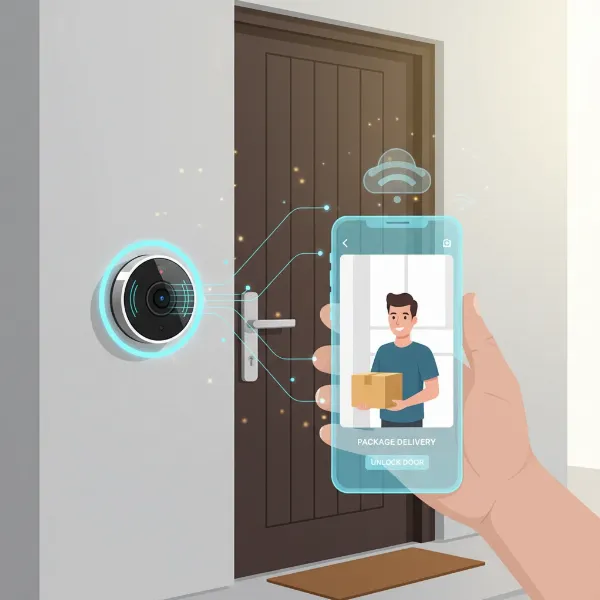
In today’s fast-paced world, securing your home and loved ones is more crucial than ever. The traditional doorbell has evolved into a sophisticated security device, offering peace of mind whether you’re at home or miles away. Video doorbells have become an indispensable tool, seamlessly blending convenience with cutting-edge surveillance to protect your property and simplify daily life. This comprehensive guide will explore the top features, types, and brands, helping you navigate the options to find the perfect video doorbell for your home.
What is a Video Doorbell?
A video doorbell is a smart home device that combines the functionality of a traditional doorbell with a high-definition video camera, a microphone, and a speaker. When someone approaches your door, rings the doorbell, or triggers its motion sensor, the device captures video, sends real-time alerts to your smartphone or tablet, and allows you to see, hear, and speak to visitors remotely. This advanced system acts as your virtual doorman, providing a constant watchful eye over your entryway.
The core components of a video doorbell typically include a camera lens, a motion sensor (often Passive Infrared or PIR), a microphone for picking up audio, a speaker for two-way communication, and a physical button. Many models also incorporate infrared or color night vision for clear visibility in low-light conditions. The evolution of video doorbells has transformed them from simple alerts to integrated security hubs, with some even offering advanced AI for differentiating between people, packages, and vehicles.
Why Use a Video Doorbell?
Embracing a video doorbell offers a multitude of benefits that significantly enhance both your home’s security and your daily convenience. These devices provide a proactive layer of protection, keeping you connected to your front door at all times.
One of the primary advantages is enhanced home security. A video doorbell acts as a visible deterrent to potential intruders, who are less likely to target a home they know is under surveillance. You can monitor activities around your doorstep 24/7, receiving instant alerts for any detected motion, from a delivery person to an unexpected visitor. This constant oversight means you’re always aware of what’s happening, even when you’re away.
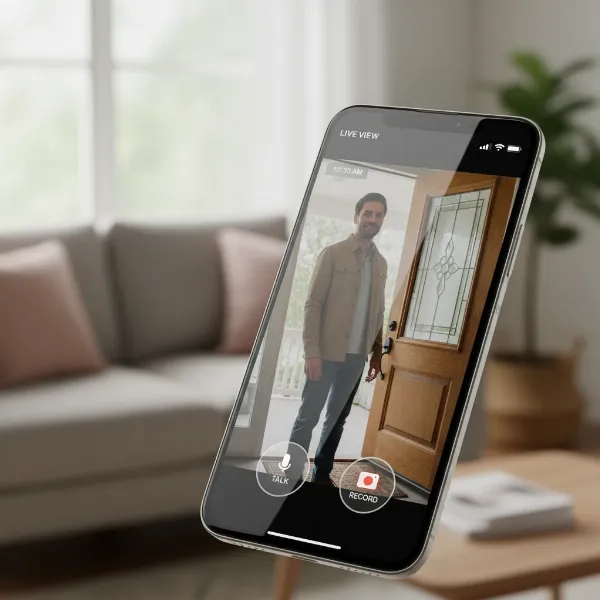 Video doorbell screen showing a person at the door, emphasizing enhanced home security.
Beyond security, video doorbells offer immense convenience. Imagine receiving a package while you’re at work; with a video doorbell, you can see the delivery, and some models even offer package detection. You can also communicate with visitors, service providers, or family members remotely, giving instructions or letting them know you’ll be right there, all through your smartphone. This two-way audio feature ensures you never miss a crucial interaction at your door. In unfortunate events, such as package theft or vandalism, the recorded footage from your video doorbell can serve as vital evidence for law enforcement, aiding in identification and prosecution.
Popular Video Doorbell Types
Video doorbells primarily fall into two categories based on their power source and connectivity: wired and wireless. Each type offers distinct advantages and caters to different homeowner needs and installation preferences.
Wired Video Doorbells
Wired video doorbells connect directly to your home’s existing electrical system, typically utilizing the wiring from a traditional doorbell.
- Pros: They offer a consistent power supply, eliminating the need for battery recharging and enabling features like continuous video recording. This stable power often translates to higher resolution video and more advanced motion detection capabilities due to better data throughput. Wired doorbells are generally known for their superior reliability and less susceptibility to Wi-Fi fluctuations compared to some battery-powered models.
- Cons: Installation can be more complex, especially if your home lacks existing doorbell wiring or if a new transformer is needed, often requiring professional assistance. Their placement is less flexible, tied to the location of the existing wiring.
- Ideal for: Homeowners looking for maximum reliability, continuous recording, and higher video quality, who have existing doorbell wiring or are comfortable with professional installation.
|
Our Picks for the Best Video doorbell in 2026
As an Amazon Associate I earn from qualifying purchases.
|
||
| Num | Product | Action |
|---|---|---|
| 1 | youkey Dual Camera Wireless Video Doorbell — Head-to-Toe View, 2K FHD Battery Doorbell with Local Storage No Monthly Fee, Package Detection, 5Ghz WiFi, Works with Alexa & Google Assistant, DB312 |

|
| 2 | Tapo 2K Wireless Smart Video Doorbell with Chime - 160° Ultra-Wide View,Person Detection, Ring Call, 2-Way Audio, Subscription-Free Local Storage/Optional Cloud, Motion Only Alert, D210 |
|
| 3 | Blink Video Doorbell (newest model) – Head-to-toe HD view, two-year battery life, and simple setup. Sync Module Core included – System (Black) |
|
| 4 | Ring Battery Doorbell, Home or business security with Head-to-Toe video, Live View with Two-Way Talk, and Motion Detection & Alerts, Satin Nickel |
|
| 5 | Arlo Video Doorbell 2K (2nd Gen, Latest Release), Wireless or Wired Option, 2-Way Audio, Night Vision, Head to Toe Video View, Package Detection, Person & Vehicle Recognition, 1-Month Secure Plan |
|
| 6 | Orbitell 1080p Wireless Wi-Fi Video Doorbell Camera with Two Way Audio, Night Vision, Cloud Storage, Smart AI Motion Detection, Support 2.4GHz Wi-Fi only |
|
| 7 | eufy Security Video Doorbell, No Subscription, Dual Cameras, 2K FHD,Head-to-Toe View, Doorbell Camera Wireless & Wired, Color Night Vision, Two-Way Talk, AI Motion/Package Detection, Built-in 8GB |
|
| 8 | Ring Battery Doorbell, Home or business security with Head-to-Toe video, Live View with Two-Way Talk, and Motion Detection & Alerts, Venetian Bronze |
|
| 9 | Ring Video Wired Doorbell (newest model), Home or business security, Two-Way Talk, advanced motion detection, HD camera and real-time alerts to monitor your front door (wiring required) |
|
| 10 | Blink Video Doorbell (newest model) – Head-to-toe HD view, two-year battery life, and simple setup. Required Sync Module not included – Add-On (Black) |
|
Wireless Video Doorbells
Wireless video doorbells operate on batteries or solar panels and connect to your home network via Wi-Fi, offering greater flexibility.
- Pros: They are renowned for their easy DIY installation, as no electrical wiring is required. This makes them ideal for renters or homes without pre-existing doorbell wiring. Their flexible placement allows you to install them almost anywhere within your Wi-Fi range.
- Cons: The batteries require periodic recharging or replacement, which can be inconvenient, though most provide low-battery warnings. Performance can be contingent on Wi-Fi strength, potentially leading to slight delays in video transmission or event detection in areas with weak signals. Some models might compromise video quality to conserve battery life.
- Ideal for: Renters, homes without existing doorbell wiring, or users prioritizing ease of installation and flexible placement over continuous recording.
Features-Based Classifications
Beyond wired and wireless, video doorbells are also distinguished by their integrated smart features:
- Video Recording: Most capture 1080p HD video, with advanced models offering 2K or even 1536×1536 resolution, often with a wide field of view (145-180 degrees) for comprehensive coverage.
- Two-Way Audio: Allows you to speak directly with visitors through your smartphone.
- Motion Detection: Basic models alert to any motion, while advanced systems feature AI-powered smart alerts that differentiate between people, packages, and vehicles, reducing false alarms. Some even include radar-powered 3D motion detection.
- Night Vision: Both infrared (black and white) and color night vision options ensure clear visibility after dark.
- Smart Home Integration: Seamlessly connect with ecosystems like Amazon Alexa, Google Home, or Apple HomeKit for voice control and unified security management.
- Storage Options: Footage can be stored locally on a microSD card or in the cloud, often requiring a monthly subscription for extended history and premium features.
Comparing Top Video Doorbell Brands
The market for video doorbells is dominated by several key players, each offering a unique blend of features, pricing, and ecosystem compatibility. Understanding these differences is crucial when making a choice.
| Brand | Key Features | Smart Home Integration | Storage Options | Typical Price Range* |
|---|---|---|---|---|
| Ring | High-res video (up to 1536×1536), 1:1 aspect ratio, package detection, 3D motion detection (Pro models), color pre-roll, battery/wired options. | Amazon Alexa | Cloud (Ring Protect subscription required) | Mid to High |
| Nest | On-device video processing, recording during power loss (wired), image classification, facial recognition (Hello model), HDR, excellent night vision, battery/wired options. | Google Home/Assistant | Cloud (Nest Aware subscription required) | Mid to High |
| Arlo | 2K HDR video, wide 180° diagonal view, direct-to-Wi-Fi, integrated siren, person/package/vehicle detection, activity zones, local storage option (with SmartHub). | Alexa, Google Assistant | Cloud (Arlo Secure subscription), Local (SmartHub) | High |
| Eufy | 2K HD video, no monthly fees (local storage), AI human detection, package detection, two-way audio, battery life up to 6 months, easy installation. | Alexa, Google Assistant | Local (eMMC/HomeBase), Optional Cloud | Mid |
| Blink | 1080p HD video, customizable motion detection, two-way audio, IR night vision, long battery life (up to 2 years on AA batteries), wireless. | Amazon Alexa | Cloud (Blink Subscription Plan), Local (Sync Module) | Low to Mid |
Note: Price ranges are approximate and can vary based on model and promotions.
Ring, a popular choice, offers a wide range of devices from battery-powered entry-level models to advanced wired options like the Ring Video Doorbell Pro 2, featuring radar-powered 3D motion detection. They are deeply integrated with the Amazon Alexa ecosystem. Nest doorbells excel in video processing and Google Home integration, with the wired Nest Hello (now Nest Doorbell Wired) offering robust features like facial recognition. Eufy stands out for its “no monthly fees” approach, relying on local storage via a HomeBase, which appeals to users seeking to avoid recurring costs. Arlo provides 2K HDR video and comprehensive motion detection, often requiring a SmartHub for local storage. Blink offers a budget-friendly, wire-free option with impressive battery life, primarily geared towards Amazon Alexa users.
How to Choose the Right Video Doorbell
Selecting the perfect video doorbell involves a thoughtful assessment of your specific needs, budget, and desired features. With numerous options available, a structured approach can help you make an informed decision.
1. Identify Your Needs
Start by asking yourself: What problem are you trying to solve?
- Security: Are you primarily concerned about package theft, monitoring suspicious activity, or deterring intruders?
- Convenience: Do you want to answer the door remotely, communicate with delivery drivers, or just know when someone arrives?
- Integration: Do you already have a smart home ecosystem (Alexa, Google Home, Apple HomeKit) you want to integrate with?
2. Set Your Budget
Video doorbells range widely in price, from under $100 to over $300. Factor in not just the initial purchase cost but also potential monthly subscription fees for cloud storage or advanced features, which can significantly add up over time. Some brands like Eufy offer local storage to help avoid these recurring costs.
3. Determine Essential Features
Prioritize the features that matter most to you:
- Video Quality: 1080p HD is standard, but 2K or higher provides clearer details.
- Field of View: A wider angle (160-180 degrees) offers more comprehensive coverage.
- Night Vision: Infrared (black and white) is common, but color night vision can offer better detail.
- Motion Detection: Basic motion alerts are standard, but AI-powered person, package, or vehicle detection reduces false alarms and provides more relevant notifications.
- Two-Way Audio: Essential for remote communication.
- Power Source: Decide between wired (consistent power, continuous recording) and wireless (easier installation, flexible placement, battery maintenance).
- Storage: Local storage (microSD) or cloud storage (often subscription-based) are your options.
- Smart Home Compatibility: Ensure it integrates well with your existing smart devices.
4. Research Brands and Read Reviews
Once you have a clearer idea of your needs and preferred features, research reputable brands like Ring, Nest, Arlo, Eufy, and Blink. Look for independent reviews, user testimonials, and comparison articles to understand real-world performance, durability, and user satisfaction. Pay attention to feedback regarding app functionality, notification accuracy, and customer support.
5. Check Warranty and Support
A good warranty and accessible customer support are crucial for any electronic device. Understand the manufacturer’s warranty period and their policy for technical assistance or replacements.
“Choosing the right video doorbell isn’t just about the camera’s resolution; it’s about finding a system that seamlessly integrates into your lifestyle, providing security without unnecessary complexity.” – John Smith, Smart Home Security Expert
Installation and Usage Guide
Installing and getting the most out of your video doorbell can be a straightforward process if you follow the correct steps and understand its features.
Basic Installation Steps
For Wired Video Doorbells:
- Turn Off Power: Crucially, switch off the power to your existing doorbell at the circuit breaker to prevent electrical shock.
- Remove Old Doorbell: Unscrew and remove your old doorbell, disconnecting the wires carefully.
- Prepare New Doorbell: Unbox your new video doorbell and its mounting bracket. If necessary, attach any required adapters or chimes.
- Mount Bracket: Position the mounting bracket at the optimal height (around 1.2m or 4 feet from the ground), mark drill holes, and secure it to the wall using screws and anchors if needed.
- Connect Wires: Carefully connect the existing doorbell wires to the terminals on your new video doorbell, ensuring tight, secure connections.
- Attach Doorbell: Secure the video doorbell onto the mounting bracket.
- Restore Power & Configure: Turn the power back on at the circuit breaker. Follow the manufacturer’s app instructions to connect the doorbell to your home Wi-Fi and complete the setup.
For Wireless (Battery-Powered) Video Doorbells:
- Charge Battery: Fully charge the doorbell’s battery before installation.
- Mount Bracket: Choose an ideal location for clear line of sight, away from obstructions. Mark and drill holes, then secure the mounting bracket.
- Attach Doorbell: Clip or screw the doorbell onto the bracket.
- Sync with Wi-Fi: Follow the app instructions to connect the doorbell to your home Wi-Fi network and begin configuration.
Using Key Features
- App Control: All smart video doorbells come with a dedicated smartphone app. This is your command center for live viewing, two-way talk, reviewing recorded footage, and adjusting settings.
- Motion Settings: Customize motion zones to focus on specific areas (e.g., your porch, not the sidewalk) and adjust sensitivity to reduce false alarms.
- Notifications: Set up instant alerts for doorbell presses, motion detection, and specific events like person or package detection.
- Night Vision: Ensure night vision is enabled in settings for continuous monitoring after dark.
Troubleshooting Common Issues
- Device Not Powering On: Double-check that the power supply is connected correctly and the circuit breaker is on (for wired). Ensure the battery is charged (for wireless).
- Wi-Fi Connection Issues: Verify your home Wi-Fi network is functioning. Try moving your Wi-Fi router closer or using a Wi-Fi extender if the doorbell is far from the router. During initial setup, ensure you are close to the router.
- Poor Video Quality: Check the camera lens for any obstructions or dirt. Ensure you have a stable and strong Wi-Fi connection. Low bandwidth can affect video streaming quality.
- False Motion Alerts: Adjust your motion sensitivity settings in the app. Utilize motion zones to exclude busy areas.
- Chime Not Working: For wired doorbells, check chime kit wiring and compatibility. For wireless, ensure your indoor chime unit is powered and correctly paired.
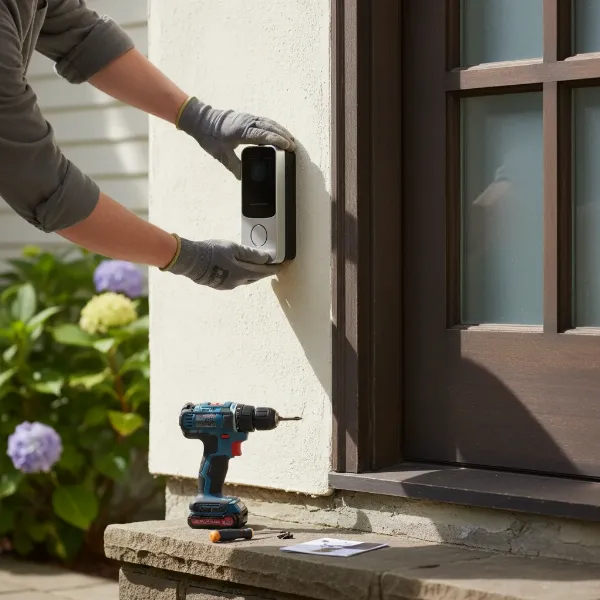 A person installing a wireless video doorbell on a wall with tools, symbolizing DIY installation.
Important Considerations for Video Doorbell Users
While video doorbells significantly enhance home security and convenience, responsible usage requires attention to privacy, legal aspects, and ongoing maintenance.
Data Privacy and Security
Your video doorbell captures sensitive footage of your property and potentially public spaces. It’s crucial to understand:
- Cloud Storage: Most systems rely on cloud storage, often requiring a subscription. Ensure you’re comfortable with how your data is stored, encrypted, and accessed by the manufacturer.
- Account Security: Use strong, unique passwords for your doorbell app and enable two-factor authentication to prevent unauthorized access to your footage and settings.
- Sharing Footage: Be mindful when sharing recorded video, as it may contain personal information about visitors or passersby.
Compliance with Privacy Laws
Recording video in public spaces or of neighbors’ property can sometimes raise legal and ethical questions.
- Local Laws: Familiarize yourself with local laws regarding surveillance and privacy. While recording on your private property is generally acceptable, continuous recording of public sidewalks or neighboring homes without consent may have legal implications in certain jurisdictions.
- Neighborly Courtesy: Consider informing close neighbors that you have a video doorbell, especially if its field of view extends into their property. Adjust motion zones to minimize recording beyond your immediate property line.
Maintenance and Care
To ensure your video doorbell functions optimally for years to come:
- Clean the Lens: Regularly clean the camera lens with a soft, damp cloth to prevent dirt, dust, or smudges from obscuring the view.
- Battery Maintenance: If you have a wireless, battery-powered model, monitor battery levels and recharge or replace batteries as needed. Keep spare batteries handy.
- Software Updates: Ensure your doorbell’s firmware and app are always up to date. Manufacturers frequently release updates to improve performance, add features, and patch security vulnerabilities.
- Wi-Fi Stability: A strong and stable Wi-Fi connection is paramount for consistent performance. Periodically check your home network’s health.
By proactively addressing these considerations, you can maximize the benefits of your video doorbell while respecting privacy and maintaining a secure, efficient system.
Conclusion
The video doorbell has undeniably transformed home security, moving beyond a simple chime to become an intelligent guardian of your entryway. From providing real-time alerts and two-way communication to capturing crucial evidence, these devices offer unparalleled peace of mind. Whether you prioritize the consistent power of a wired system or the flexible installation of a wireless model, the market offers a diverse range of options, each with unique features like high-resolution video, advanced motion detection, and seamless smart home integration. By carefully assessing your needs, budget, and desired functionalities, you can confidently select a video doorbell that not only meets but exceeds your expectations for a safer, smarter home. What top feature will be most critical for securing your home’s front door?