The front door is more than just an entrance; it’s the gateway to your home’s security and the first point of contact for visitors and deliveries. In an increasingly connected world, traditional doorbells are giving way to smart video doorbells, offering unparalleled peace of mind and convenience. These innovative devices transform how you interact with your doorstep, allowing you to see, hear, and speak to anyone there, whether you’re relaxing on the couch or halfway across the globe. Navigating the myriad of options, from wired to wireless, basic to AI-powered, can feel overwhelming. This comprehensive guide will walk you through everything you need to know to select the ideal video doorbell that perfectly matches your home’s needs and your personal lifestyle, ensuring you make an informed decision for enhanced home security.
What is a Video Doorbell?
A video doorbell is an advanced home security device that integrates a traditional doorbell with a high-definition camera, a microphone, a speaker, and motion sensors. Essentially, it’s a smart surveillance system for your front entrance, allowing for real-time monitoring and two-way communication. When someone approaches your door or presses the doorbell button, the device immediately sends a notification to your smartphone, enabling you to view a live video feed and interact with the visitor through its built-in audio system.
The key components of a video doorbell include a camera (ranging from 1080p to 4K resolution), often with a wide field of view (160°-180°) and night vision capabilities (infrared or color). It also features two-way audio for speaking with visitors, motion detection sensors to alert you to activity, and a physical doorbell button. Most video doorbells connect to your home’s Wi-Fi network, providing seamless integration with a dedicated mobile app for remote access and control. Historically, doorbells served a simple purpose; with the advent of smart technology, they have evolved into sophisticated security hubs, capable of identifying people, packages, and even pets, significantly enhancing modern home protection.
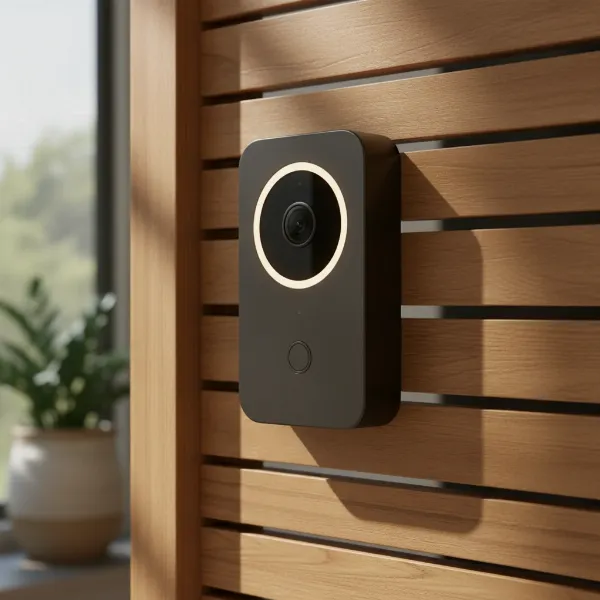 A sleek, modern video doorbell mounted on a wooden door, highlighting its camera lens and design elements.
Why Use a Video Doorbell?
The adoption of a video doorbell offers a multitude of benefits that extend far beyond a simple notification that someone is at your door. Primarily, it significantly enhances your home’s security by providing a constant vigil over your main entry point. You gain the ability to monitor your front porch 24/7, deterring potential intruders and identifying suspicious activity before it escalates.
Beyond security, video doorbells provide unparalleled convenience. Imagine receiving a package while you’re at work; with a video doorbell, you can see the delivery, speak to the driver, and even instruct them where to place it, all from your smartphone. This remote management is invaluable for busy individuals or frequent travelers, allowing you to maintain a presence at home even when you’re away. Moreover, these devices act as crucial evidence recorders. In the unfortunate event of a package theft or attempted break-in, the recorded footage can be vital for law enforcement, helping to identify culprits and aid in investigations. They are particularly effective in scenarios like preventing porch piracy, screening solicitors, or simply keeping an eye on children arriving home from school.
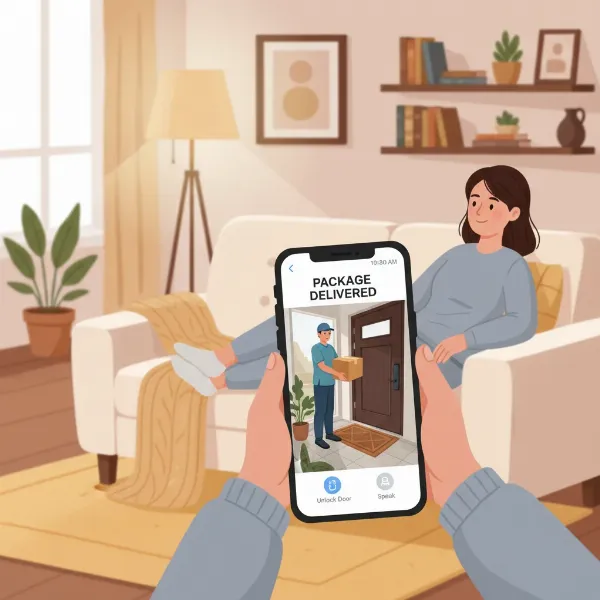 A person monitoring a package delivery on their smartphone via a video doorbell app, emphasizing convenience and home security.
Popular Video Doorbell Types on the Market
Video doorbells come in various configurations, primarily categorized by their power source and connectivity, as well as their advanced features. Understanding these distinctions is crucial for selecting the model that best suits your home and lifestyle.
Classification by Connection Type:
- Wired Video Doorbells: These devices connect directly to your home’s existing doorbell wiring and draw continuous power from your electrical system.
- Pros: Offer consistent power, eliminating battery concerns. They often support advanced features like continuous video recording (CVR) and superior video quality due to stable data throughput. Wired models typically integrate more seamlessly with existing chimes and can provide more reliable motion detection.
- Cons: Installation can be more complex, potentially requiring professional help if no existing wiring is present or if the transformer needs upgrading. Their placement is limited to where wiring is available, offering less flexibility.
- Wireless (Battery-Powered) Video Doorbells: These doorbells operate on rechargeable batteries and connect to your home’s Wi-Fi.
- Pros: Renowned for their easy, DIY-friendly installation, as they don’t require electrical wiring or drilling into walls, making them ideal for renters or homes without existing doorbell circuits. They offer greater flexibility in placement, as long as they are within Wi-Fi range.
- Cons: Batteries require periodic recharging or replacement, which can be inconvenient. Their performance, including video and audio quality, can be more susceptible to Wi-Fi signal strength and battery life fluctuations. Some advanced features might be subscription-dependent.
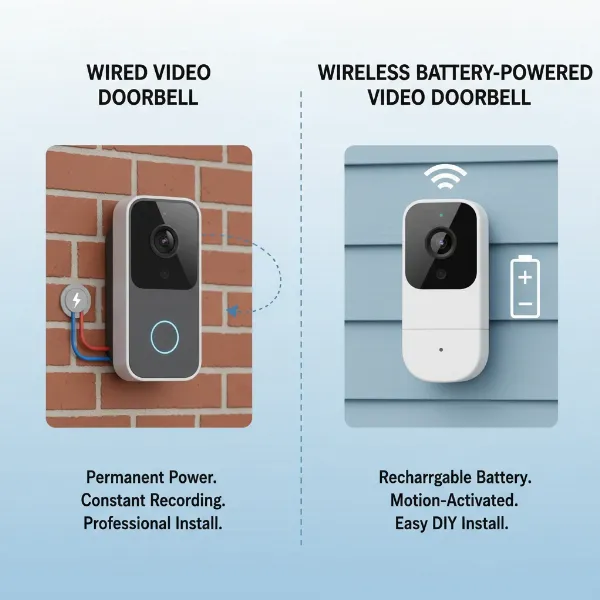 An infographic comparing a wired video doorbell with visible electrical connections and a wireless battery-powered video doorbell.
Classification by Features:
- Basic Video Doorbells: These models typically provide essential functions such as video recording, motion detection, and two-way audio. They are generally more affordable and straightforward, suitable for users seeking standard security features without complex additions.
- Smart/Advanced Video Doorbells: These devices include a broader range of functionalities, often leveraging AI. Features can include:
- AI-powered facial recognition: Identifying familiar faces.
- Customizable motion zones: Defining specific areas for motion alerts to reduce false alarms.
- Package detection: Notifying you when a package arrives or is removed.
- Smart home integration: Compatibility with ecosystems like Google Home, Amazon Alexa, or Apple HomeKit.
- Storage options: Cloud storage (often subscription-based) for remote access and extended retention, or local storage (SD card, internal memory, or hub) for subscription-free video saving.
Each type offers distinct advantages, and the best choice depends on your specific needs for installation, features, and ongoing maintenance.
Comparing Famous Video Doorbell Brands
The video doorbell market is populated by several prominent brands, each offering unique strengths and features. Understanding the differences between these top players can greatly simplify your decision-making process.
| Brand | Key Features & Strengths | Power Options | Storage & Subscription | Smart Home Integration | Price Range (Approx.) |
|---|---|---|---|---|---|
| Ring | Wide variety of models, robust app, strong Alexa integration, excellent motion detection. | Wired & Battery | Cloud (subscription required) | Amazon Alexa | $60 – $250 |
| Nest | Superior AI (facial, package detection), HDR video, seamless Google Home integration. | Wired & Battery | Cloud (subscription required), some local backup | Google Home, Google Assistant | $100 – $280 |
| Arlo | Great video quality (HD/2K), flexible power, person/package/pet detection. | Wired & Battery | Cloud (subscription required) | Alexa, Google Home, SmartThings | $150 – $200 |
| Eufy | Strong emphasis on local storage (no subscription), dual cameras for package view, robust battery life. | Wired & Battery | Local (free), optional cloud | Alexa, Google Home | $80 – $250 |
| Blink | Budget-friendly, long battery life, works well with Alexa, local-ish storage via Sync Module. | Battery | Local (Sync Module), optional cloud | Amazon Alexa | $40 – $80 |
| SimpliSafe | Best for intruder prevention, integrates with SimpliSafe security systems, active guard monitoring. | Wired | Cloud (subscription with security system) | Limited | $170 – $200 |
| ADT | Best security system integration (often rebranded Nest), professional monitoring. | Wired | Cloud (subscription with ADT service) | ADT security ecosystem | Higher (service based) |
| Wyze | Most affordable, decent video, basic features, local storage option. | Wired & Battery | Local (SD card), optional cloud | Alexa, Google Assistant | $30 – $60 |
| Lorex | Strong local video storage options, good video quality. | Wired | Local (free), NVR compatible | Limited | $100 – $200 |
Ring is often praised for its wide product range and strong integration with Amazon Alexa, offering various models for different needs and budgets. Google Nest excels with advanced AI features like facial recognition and package detection, providing crisp HDR video and seamless integration into the Google Home ecosystem. For those who prioritize subscription-free local storage, Eufy stands out with its robust battery-powered options and dual-camera systems, offering excellent value. Arlo provides high-quality video and reliable detection, making it a solid choice for comprehensive monitoring. Blink is a top contender for budget-conscious buyers seeking basic functionality and long battery life, particularly within an Alexa setup. Meanwhile, integrated security system providers like SimpliSafe and ADT offer doorbell cameras that work seamlessly with their broader home security solutions, ideal for a unified approach.
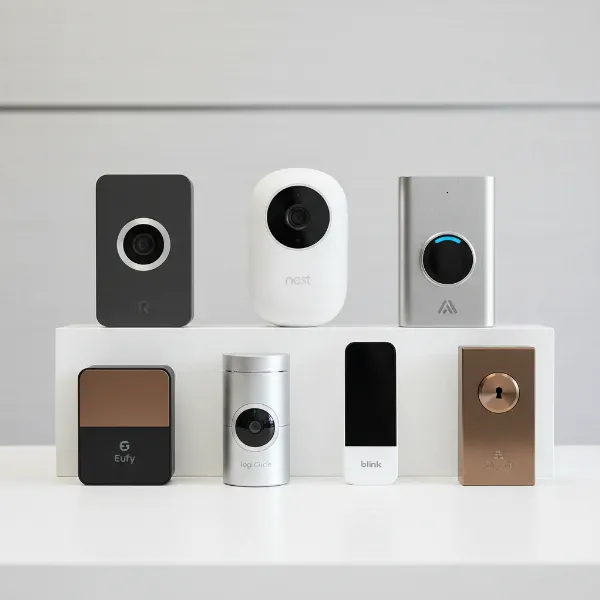 A clean product showcase of various popular video doorbell brands, highlighting the diversity in available choices.
Guide to Choosing the Right Video Doorbell
Selecting the perfect video doorbell involves a thoughtful assessment of your specific needs, budget, and existing home setup. Don’t rush into a purchase; a little research now can save you headaches later.
Here’s a step-by-step buying guide:
-
Determine Your Needs:
- Security Focus: Are you primarily concerned with deterring intruders and monitoring suspicious activity? Look for advanced motion detection, clear night vision, and reliable alerts.
- Convenience: Do you want to screen visitors, receive package notifications, or communicate with delivery drivers remotely? Two-way audio and smart detection features are key.
- Property Type: Do you own your home, or are you a renter? This will heavily influence your choice between wired and wireless options due to installation requirements.
-
Set Your Budget:
- Video doorbells vary widely in price, from under $50 for basic models to over $250 for premium, feature-rich devices. Remember to factor in potential ongoing costs for cloud storage subscriptions, which can add $3-10 per month.
- Consider the total cost of ownership, including hardware and any recurring fees.
-
Identify Essential Features:
- Video Quality: Aim for at least 1080p HD resolution for clear images, with 2K or 4K offering even greater detail, especially useful for identifying faces or license plates. HDR (High Dynamic Range) is beneficial for scenes with high contrast.
- Field of View: A wider angle (160°-180°) provides better coverage of your porch and surrounding area, reducing blind spots.
- Night Vision: Infrared night vision is standard, but color night vision provides a clearer, more detailed view in low light.
- Two-Way Audio: Essential for speaking with visitors. Look for clear audio quality and noise cancellation.
- Motion Detection: Advanced AI-powered detection (person, package, pet, vehicle) helps reduce false alarms. Customizable motion zones are crucial if your doorbell faces a busy street.
- Video Storage: Decide between local storage (SD card, hub) for privacy and no subscription fees, or cloud storage for remote access and backup.
- Weather Resistance: Ensure the doorbell has an IP rating (e.g., IP65 or higher) suitable for outdoor exposure to rain, dust, and temperature fluctuations.
-
Wired vs. Wireless Decision:
- Wired: Choose if you have existing doorbell wiring, prioritize continuous power, advanced features, and reliability. Ideal for homeowners seeking a permanent, low-maintenance solution.
- Wireless: Opt for this if you need easy DIY installation, flexibility in placement, or are a renter. Be prepared for periodic battery maintenance.
-
Smart Home Compatibility:
- If you already use a smart home ecosystem (Amazon Alexa, Google Home, Apple HomeKit), select a video doorbell that seamlessly integrates with it for centralized control and automation. This allows for features like displaying video on smart displays or using voice commands.
-
Brand Reputation and Support:
- Research brand reliability, customer reviews, and the quality of their mobile app. A user-friendly app is critical for daily interaction.
- Check warranty policies and customer support availability.
 A person reviewing a detailed buying guide or checklist on a tablet to choose the best video doorbell, indicating careful consideration.
Video Doorbell Installation and Usage Guide
Installing and using your new video doorbell doesn’t have to be complicated. While specific steps vary by brand and model, a general understanding of the process will help you get started.
Basic Installation Steps:
-
For Wired Doorbells:
- Turn off Power: Crucially, locate your home’s circuit breaker and turn off the power to your existing doorbell system to avoid electrical shock. Use a voltage tester to confirm it’s off.
- Remove Old Doorbell: Unscrew and carefully remove your old doorbell unit, exposing the two low-voltage wires.
- Mount Bracket: Position the new mounting bracket over the existing holes (or mark new ones). Use a level to ensure it’s straight, then drill pilot holes and secure the bracket with screws and wall anchors if needed.
- Connect Wires: Strip about half an inch of insulation from the doorbell wires if necessary, and securely connect them to the terminals on the back of your new video doorbell. The order often doesn’t matter for low-voltage systems.
- Attach New Doorbell: Mount the video doorbell onto its bracket and secure it according to the manufacturer’s instructions, often with a small security screw at the bottom.
- Restore Power & Setup: Turn the power back on at the circuit breaker. Open the doorbell’s companion app on your smartphone, connect the device to your home Wi-Fi, and follow the on-screen prompts for final configuration.
-
For Wireless (Battery-Powered) Doorbells:
- Charge Battery: Fully charge the doorbell’s battery before installation; this can take several hours.
- Mount Bracket: Choose an optimal placement for your doorbell, typically around 1.2 meters (4 feet) from the ground. Use a pencil and level to mark the mounting holes, then secure the bracket with screws and anchors if necessary.
- Attach Doorbell: Align the doorbell with the bracket and snap it into place. Secure it with the provided security screws.
- App Setup: Download the companion app, create an account, and follow the in-app instructions to connect your doorbell to your home’s Wi-Fi network and configure its settings.
Tools You’ll Likely Need: A screwdriver (often included), a drill with appropriate bits (e.g., masonry bit for brick/stucco), a pencil, a measuring tape, and a level. Some kits also include specialized tools or wedge mounts to angle the camera for a better view.
Usage Tips:
- Customize Motion Zones: Use the app to define specific areas where you want motion alerts, preventing unnecessary notifications from passing cars or trees.
- Adjust Sensitivity: Fine-tune motion sensitivity to minimize false alarms while ensuring important events are captured.
- Utilize Two-Way Talk: Practice using the two-way audio feature to communicate clearly with visitors or delivery personnel.
- Regularly Check Battery (Wireless): Stay on top of battery life for wireless models and recharge as soon as you receive low-battery alerts.
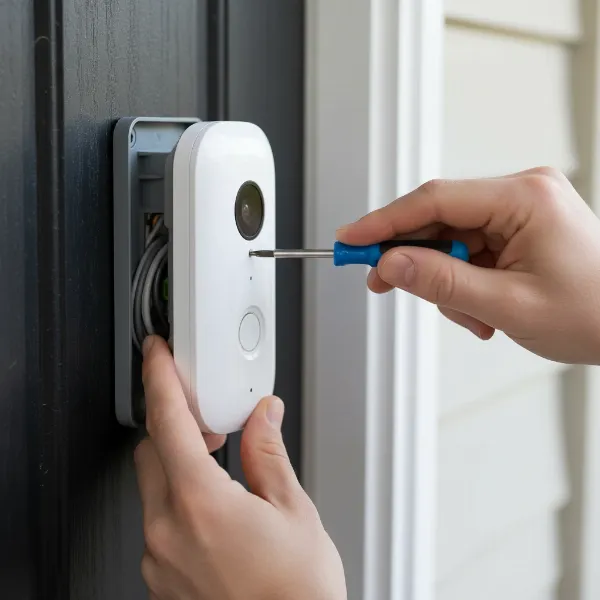 Close-up of hands using a screwdriver to install a video doorbell onto its mounting bracket at a home entrance.
Important Notes When Using a Video Doorbell
While video doorbells significantly enhance home security and convenience, it’s crucial to be aware of certain considerations to ensure responsible and secure usage.
1. Privacy and Security:
- Data Protection: Your video doorbell captures sensitive footage. Ensure the brand you choose has robust encryption and privacy policies. Understand where your video footage is stored (local vs. cloud) and who has access to it.
- Two-Factor Authentication (2FA): Always enable 2FA for your doorbell’s app account. This adds an extra layer of security, making it much harder for unauthorized individuals to access your device or footage, even if they have your password.
- Wi-Fi Security: Connect your video doorbell to a secure, password-protected Wi-Fi network (WPA2/WPA3). A weak Wi-Fi password can be a major vulnerability.
2. Legal and Ethical Considerations:
- Local Laws and Regulations: Be mindful of local laws regarding video recording, especially if your camera captures public spaces like sidewalks or neighboring properties. While recording on your own property is generally permissible, continuous recording of public areas without consent might have legal implications in some regions.
- Neighborly Courtesy: Consider your neighbors’ privacy. Aim to adjust your camera’s field of view and motion detection zones to minimize recording their private property. Open communication with neighbors about your doorbell can also prevent misunderstandings.
3. Maintenance and Longevity:
- Regular Cleaning: Periodically clean the camera lens to ensure clear video quality, as dust, dirt, or spiderwebs can obstruct the view.
- Firmware Updates: Keep your doorbell’s firmware updated to ensure optimal performance, access new features, and patch any security vulnerabilities.
- Battery Management (for wireless models): Regularly check battery levels and recharge or replace them as needed to avoid interruptions in service.
- Weather Protection: While most doorbells are weather-resistant, extreme conditions might require additional protection or consideration during installation.
By adhering to these guidelines, you can maximize the benefits of your video doorbell while maintaining digital security, respecting privacy, and ensuring the device’s long-term performance.
 An abstract illustration representing digital security and privacy for video doorbells, featuring a padlock and shield symbol over connected devices.
Conclusion
Choosing the right video doorbell is a significant step towards enhancing your home’s security and integrating modern convenience into your daily life. From understanding the core differences between wired and wireless models to evaluating essential features like video quality, motion detection, and smart home compatibility, a well-informed decision ensures you select a device that truly meets your specific needs. Leading brands like Ring, Nest, Arlo, and Eufy offer diverse options, catering to various budgets and technological preferences. By carefully considering your lifestyle, budget, and local privacy regulations, you can confidently invest in a video doorbell that provides peace of mind and keeps you connected to your home, no matter where you are. What aspect of video doorbell technology excites you the most for your home security?
Frequently Asked Questions
What is the average lifespan of a video doorbell?
|
Our Picks for the Best Video doorbell in 2026
As an Amazon Associate I earn from qualifying purchases.
|
||
| Num | Product | Action |
|---|---|---|
| 1 | eufy Security Video Doorbell, No Subscription, Dual Cameras, 2K FHD,Head-to-Toe View, Doorbell Camera Wireless & Wired, Color Night Vision, Two-Way Talk, AI Motion/Package Detection, Built-in 8GB |

|
| 2 | Ring Battery Doorbell, Home or business security with Head-to-Toe video, Live View with Two-Way Talk, and Motion Detection & Alerts, Satin Nickel |
|
| 3 | Blink Video Doorbell (newest model) – Head-to-toe HD view, two-year battery life, and simple setup. Sync Module Core included – System (Black) |
|
| 4 | Ring Battery Doorbell, Home or business security with Head-to-Toe video, Live View with Two-Way Talk, and Motion Detection & Alerts, Venetian Bronze |
|
| 5 | youkey Dual Camera Wireless Video Doorbell — Head-to-Toe View, 2K FHD Battery Doorbell with Local Storage No Monthly Fee, Package Detection, 5Ghz WiFi, Works with Alexa & Google Assistant, DB312 |
|
| 6 | Ring Video Wired Doorbell (newest model), Home or business security, Two-Way Talk, advanced motion detection, HD camera and real-time alerts to monitor your front door (wiring required) |
|
| 7 | Blink Video Doorbell (newest model) – Head-to-toe HD view, two-year battery life, and simple setup. Required Sync Module not included – Add-On (Black) |
|
| 8 | Tapo 2K Wireless Smart Video Doorbell with Chime - 160° Ultra-Wide View,Person Detection, Ring Call, 2-Way Audio, Subscription-Free Local Storage/Optional Cloud, Motion Only Alert, D210 |
|
| 9 | Orbitell 1080p Wireless Wi-Fi Video Doorbell Camera with Two Way Audio, Night Vision, Cloud Storage, Smart AI Motion Detection, Support 2.4GHz Wi-Fi only |
|
| 10 | Arlo Video Doorbell 2K (2nd Gen, Latest Release), Wireless or Wired Option, 2-Way Audio, Night Vision, Head to Toe Video View, Package Detection, Person & Vehicle Recognition, 1-Month Secure Plan |
|
The typical lifespan of a video doorbell can vary, but most reputable brands design their devices to last between 3 to 10 years. Factors like build quality, exposure to harsh weather, frequency of use, and regular maintenance can influence its longevity. Software support and available firmware updates also play a role in how long a device remains functional and secure.
Can a video doorbell work without Wi-Fi?
Most video doorbells require a stable Wi-Fi connection to transmit video, send notifications to your smartphone, and enable remote features. Some models offer local storage, meaning they can still record footage to an SD card even if Wi-Fi is temporarily down, but live streaming and remote access will be unavailable until the connection is restored.
Are video doorbell subscriptions necessary?
While many popular video doorbells offer optional subscription plans, they are not always strictly necessary. Subscriptions typically unlock advanced features like cloud video storage, facial recognition, package detection, and extended video history. Brands like Eufy and Lorex offer models with robust local storage options that allow you to avoid recurring monthly fees for core functionalities.
How high should I mount my video doorbell?
For optimal viewing, most manufacturers recommend mounting your video doorbell approximately 48 inches (1.2 meters) from the ground. This height generally provides a clear view of visitors’ faces, packages on the porch, and the immediate surrounding area, minimizing blind spots and maximizing the effectiveness of motion detection.
What happens if my video doorbell is stolen?
Many video doorbell brands offer a theft replacement policy, where they will replace your stolen device for free if you can provide a police report. Additionally, securing the doorbell with anti-theft screws during installation makes it more difficult to remove. The recorded footage of the theft itself can also serve as crucial evidence for reporting.