In an era where home safety is paramount, securing your property begins right at your doorstep. A video doorbell offers an unparalleled first line of defense, transforming a simple entryway into a vigilant monitoring station. More than just a device that announces visitors, it’s a smart security solution designed to provide real-time surveillance, deter potential threats, and grant you peace of mind, whether you’re at home or away. This comprehensive guide will explore the world of video doorbells, helping you understand their functionality, benefits, the varieties available, and how to select the perfect one to fortify your home’s security.
What is a Video Doorbell?
A video doorbell is an intelligent home security device that integrates a camera, microphone, speaker, and motion sensor into a traditional doorbell unit. When someone approaches your door or rings the bell, it captures video footage and sends an alert to your smartphone, tablet, or smart display. This allows you to see, hear, and speak to visitors remotely, providing a comprehensive overview of your entryway.
The primary components of a video doorbell system include a high-definition camera, often with wide-angle views and night vision for clear footage day and night. It features a two-way audio system, enabling direct communication with anyone at your door. Motion detection sensors are crucial, triggering recordings and alerts even if the doorbell isn’t pressed. Many models also offer cloud or local storage options for reviewing recorded events and integrate seamlessly with existing smart home ecosystems like Amazon Alexa, Google Assistant, or Apple HomeKit. Early models offered basic viewing, but today’s advanced devices leverage artificial intelligence for features like person, animal, or package detection, significantly enhancing their security capabilities.
Why Use a Video Doorbell for Home Security?
Integrating a video doorbell into your home security strategy offers a multitude of benefits, enhancing both safety and convenience. These devices act as a proactive deterrent and a valuable tool for incident management, providing constant vigilance over your most vulnerable entry point.
Firstly, a video doorbell significantly boosts home security by acting as an always-on “security guard” at your front door. Its visible presence alone often deters potential intruders and porch pirates, who are less likely to target homes they know are being monitored. You can screen visitors before opening the door, which is particularly useful for unexpected callers or unfamiliar faces, allowing you to assess situations safely from any room in your house or even while you’re away.
Secondly, these devices are incredibly convenient for managing guests and deliveries. You can communicate with delivery drivers to provide instructions for packages or simply let friends know you’ll be there in a minute. Remote monitoring allows you to keep an eye on your home from anywhere in the world, receiving instant alerts for motion detection or doorbell presses. This constant connection offers invaluable peace of mind, especially when you are traveling or at work.
Finally, in the unfortunate event of a security incident, video doorbells provide crucial evidence. They record footage of any suspicious activity, break-in attempts, or package thefts, which can be invaluable for law enforcement investigations and insurance claims. Features like AI-enhanced detection help differentiate between genuine threats and everyday occurrences, ensuring you receive relevant alerts.
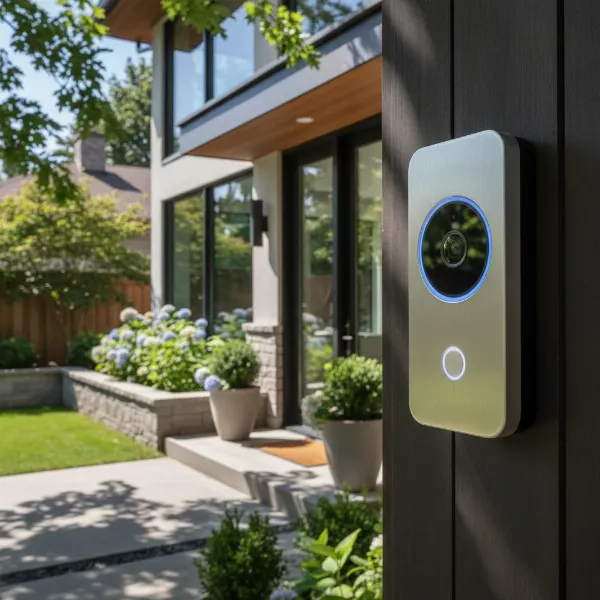 Video doorbell mounted on a modern home's exterior, showcasing its integration for enhanced security and convenience
Popular Types of Video Doorbells
Video doorbells primarily fall into two categories based on their power source: wired and wireless. Each type offers distinct advantages and disadvantages, making the choice dependent on your specific home setup and security priorities.
Wired Video Doorbells connect directly to your home’s existing doorbell wiring.
- Pros: They offer a consistent power supply, eliminating the need for battery changes and ensuring uninterrupted operation. This stable power often supports advanced features like continuous video recording, higher resolution, and superior night vision. Wired models typically provide a more reliable connection, less susceptible to Wi-Fi interference, resulting in clearer video and faster alerts.
- Cons: Installation can be more complex, often requiring an existing doorbell chime and wiring, or professional help if new wiring is needed. They offer less flexibility in placement, as they are tethered to the existing electrical point.
Wireless (Battery-Powered) Video Doorbells run on rechargeable batteries and connect via Wi-Fi.
- Pros: They are renowned for their easy, DIY-friendly installation, making them ideal for renters or homes without existing doorbell wiring. Their battery power allows for flexible placement anywhere within Wi-Fi range.
- Cons: Batteries require periodic recharging or replacement, which can lead to downtime. Performance can be contingent on Wi-Fi strength, potentially affecting video and audio quality in areas with weak signals. Some models may have a slight delay in recording or notifications compared to wired versions.
Beyond power, features also differentiate models:
- Recording and Two-Way Talk: Standard across most devices.
- Motion Detection: Essential for alerts when visitors approach without pressing the bell. Advanced versions allow customizable motion zones to reduce false alarms.
- AI Integration: Many newer doorbells use AI for smart object detection (people, animals, packages, vehicles) and even facial recognition, providing more intelligent and relevant notifications.
- Local vs. Cloud Storage: Some offer local storage (e.g., microSD card, home base) without a subscription, while others rely on cloud storage, often with a monthly fee for accessing recorded footage and advanced features.
Comparing Leading Video Doorbell Brands
The market for video doorbells is competitive, with several major players offering a range of devices catering to different needs and budgets. Here’s a comparison of some prominent brands, highlighting their key characteristics.
| Brand | Price Range | Key Features | Storage Options | Smart Home Integration | Noteworthy Aspects |
|---|---|---|---|---|---|
| Ring | Budget to Premium | HD video, two-way talk, motion detection, customizable motion zones, Siren | Cloud (Ring Protect subscription) | Alexa (Amazon ecosystem) | Wide range of models, strong ecosystem integration, popular choice |
| Google Nest | Mid to Premium | HD/2K video, facial recognition (Nest Aware), activity zones, intelligent alerts | Cloud (Nest Aware subscription) | Google Assistant, HomeKit | Excellent AI features, top-tier video quality, seamless Google Home integration |
| Arlo | Mid to Premium | 2K/4K HDR video, wide field of view, person/package/vehicle detection, siren | Cloud (Arlo Secure subscription), some local | Alexa, Google Assistant, HomeKit | High video quality, versatile power (wired/wireless), comprehensive alerts |
| Eufy | Mid-range | 2K video, dual cameras (on some models), local storage (HomeBase), AI detection | Local (no subscription needed), optional cloud | Alexa, Google Assistant, HomeKit | Strong privacy focus with local storage, no mandatory fees for basic features |
| Blink | Budget | 1080p HD video, two-way talk, motion detection, long battery life (up to 2 years) | Cloud (Blink Subscription), local (Sync Module) | Alexa (Amazon ecosystem) | Highly affordable, simple setup, excellent battery longevity |
| SimpliSafe | Mid-range | 1080p HD, wide field of view, two-way audio, intruder prevention features | Cloud (subscription with monitoring) | SimpliSafe system | Best for integration with SimpliSafe home security systems |
| Lorex | Mid-range | 2K video, local storage, person detection, pre-recorded messages | Local (microSD card) | Alexa, Google Assistant | Focus on local storage, strong security features for the price |
- Ring is known for its extensive product line and strong integration within the Amazon Alexa ecosystem. Their devices offer reliable performance and a user-friendly app, though many advanced features require a Ring Protect subscription.
- Google Nest doorbells excel with advanced AI features, including facial recognition and smart alerts that differentiate between people, animals, and packages, although these are tied to a Nest Aware subscription. They offer high-quality video and integrate seamlessly with Google Home.
- Arlo stands out for its superior video quality, often offering 2K or 4K HDR resolution, and versatile power options (wired or wire-free). Their intelligent detection capabilities are highly praised, but many features are subscription-based.
- Eufy is a popular choice for users who prefer local storage and want to avoid monthly subscription fees for core functionalities. Their dual-camera models provide a comprehensive view of your doorstep and packages.
- Blink offers a budget-friendly option with long battery life, making it accessible for many homeowners, especially those already using Amazon Alexa devices. While more basic in features, it delivers essential security functions effectively.
Choosing the Right Video Doorbell for Your Home
Selecting the perfect video doorbell involves considering several factors to ensure it aligns with your security needs, budget, and lifestyle. Making an informed decision will maximize its effectiveness and your satisfaction.
- Determine Your Needs: Begin by assessing your primary security concerns. Do you want to deter package thieves, monitor general activity, or integrate with an existing smart home system? Consider the size and layout of your entryway; a wider field of view might be essential for larger porches or if you need to monitor the sides of your door. Some users prioritize advanced AI features like facial recognition or specific object detection.
- Set a Realistic Budget: Video doorbells vary significantly in price, from budget-friendly options around $50 to premium models exceeding $250. Remember to factor in potential ongoing costs, such as monthly or annual subscription fees for cloud storage and advanced features. Eufy and Lorex offer good subscription-free options, while Ring and Nest often require subscriptions to unlock their full potential.
- Essential Features: Look for high-resolution video (1080p or higher for clear footage), a wide field of view (160-180 degrees is ideal), and reliable night vision. Two-way audio is crucial for communication, and customizable motion detection zones help prevent false alarms. Consider smart home compatibility if you already use Amazon Alexa, Google Assistant, or Apple HomeKit devices.
- Wired vs. Wireless: If you have existing doorbell wiring and prefer continuous power, a wired model offers reliability and consistent performance. If you need flexibility, easy installation, or don’t have existing wiring, a battery-powered wireless doorbell is a better fit. Evaluate your comfort level with electrical work or if you’d need professional installation.
- Brand Reputation and Support: Research reputable brands like Ring, Nest, Arlo, and Eufy. Read reviews from trusted sources and consider customer service and warranty policies. A strong support system can be invaluable if you encounter issues.
- Storage Options: Decide if you prefer local storage (e.g., microSD card, home base) to avoid subscription fees or if you’re comfortable with cloud storage, which often provides more convenient access and features but comes with a recurring cost.
By carefully evaluating these points, you can narrow down your options and choose a video doorbell that provides optimal security and convenience for your home.
Installation and Usage Tips for Your Video Doorbell
Installing and effectively using your video doorbell is straightforward, but a few tips can ensure a smooth setup and optimal performance. Whether you choose a wired or wireless model, attention to detail during installation can prevent common issues.
Basic Installation Steps:
- Turn Off Power: Before starting, always switch off the power to your existing doorbell at the circuit breaker to prevent electric shock, especially for wired installations.
- Remove Old Doorbell: Carefully disconnect and remove your old doorbell unit. Secure the wires so they don’t touch, if applicable.
- Mount the Bracket: Use the provided mounting bracket as a template. Typically, video doorbells are installed at chest level, about 45-48 inches (1.1-1.2 meters) from the ground, ensuring a clear view of visitors’ faces and packages. Mark and drill holes, inserting wall anchors if needed, then securely attach the bracket. Avoid blocking the camera’s view with foliage or obstructions.
- Connect Wires (Wired Models): Connect the existing doorbell wires to the new video doorbell’s terminals according to the manufacturer’s instructions. Use electrical tape to secure connections.
- Attach Doorbell: Secure the video doorbell to its mounting bracket.
- Restore Power & Configure: Turn the power back on. Download the accompanying app on your smartphone and follow the on-screen instructions to connect your doorbell to your home’s Wi-Fi network and configure its settings. This usually involves pairing the device and setting up motion zones.
Common Troubleshooting Tips:
- Device Not Powering On: Double-check the circuit breaker and ensure all wires are connected correctly (for wired models). For wireless units, ensure the battery is fully charged.
- Wi-Fi Connection Issues: Verify your home Wi-Fi network is working. Try moving your router closer or using a Wi-Fi extender if the signal is weak at your doorbell’s location.
- Poor Video Quality: Ensure the camera lens is clean and free of obstructions. A stable Wi-Fi connection is crucial for clear video. Adjust settings within the app for optimal resolution.
- False Motion Alerts: Customize motion detection zones in the app to focus on relevant areas and ignore street traffic, trees, or pets. Adjust sensitivity levels to minimize unnecessary notifications.
- Chime Not Working: If using an existing indoor chime, ensure compatibility and proper wiring. Many smart doorbells also offer digital chimes through smart speakers or dedicated wireless chimes.
Important Considerations When Using Video Doorbells
While video doorbells significantly enhance home security and convenience, it’s crucial to be aware of certain considerations, particularly regarding privacy and legal compliance. Responsible usage ensures you benefit from the technology without infringing on others’ rights.
Personal Privacy and Data Security:
Your video doorbell captures sensitive data, including video and potentially audio. Ensure you use strong, unique passwords for your doorbell’s app and Wi-Fi network. Enable two-factor authentication whenever possible to prevent unauthorized access. Be mindful of where your video footage is stored—whether locally on the device or in the cloud—and understand the provider’s data retention policies. Opt for brands with robust encryption and privacy policies.
Legal and Ethical Considerations:
The legality of video and audio recording varies by location. Generally, recording video in public spaces, such as your driveway or a public sidewalk visible from your door, is permissible as there is no reasonable expectation of privacy. However, audio recording laws can be more complex. Some regions are “one-party consent” states, meaning only one person in a conversation needs to consent to being recorded (which you, as the homeowner, fulfill). Others are “two-party consent” states, requiring all parties to consent. To avoid issues, especially with audio, ensure your camera’s field of view primarily covers your property and not directly into a neighbor’s private space or communal areas without clear consent or appropriate signage.
Neighborly Relationships and Community Rules:
To maintain good relationships with neighbors and comply with any community association (HOA) rules, consider the placement and angle of your doorbell camera. Policies in shared living spaces might restrict surveillance of common areas, neighboring front doors, or windows. It’s often a good practice to inform neighbors about your video doorbell and adjust its angle to minimize unintended surveillance of their property. Some jurisdictions recommend or require clear signage indicating that audio and video recording is in progress.
Maintenance and Device Lifespan:
Regularly clean your camera lens to ensure clear footage. For wireless doorbells, keep an eye on battery levels and recharge or replace them as needed. Software updates are important for security and functionality; enable automatic updates if available. Over time, devices can wear out; understanding your warranty and knowing when to consider an upgrade will ensure continuous protection.
Conclusion
Choosing the Best Video Doorbell For Improving Home Security is an investment in your peace of mind and the safety of your property. These smart devices offer a powerful combination of deterrence, surveillance, and convenience, allowing you to monitor your entryway, screen visitors, and capture crucial evidence. By understanding the different types, comparing leading brands, and making an informed decision based on your specific needs and budget, you can effectively fortify your home’s first line of defense. With careful installation and mindful usage that respects privacy, a video doorbell truly empowers you to take control of your home security. What steps will you take today to make your home more secure with a video doorbell?
Frequently Asked Questions
What is the ideal height to install a video doorbell?
|
Our Picks for the Best Video doorbell in 2026
As an Amazon Associate I earn from qualifying purchases.
|
||
| Num | Product | Action |
|---|---|---|
| 1 | All-new Blink Video Doorbell + Outdoor 4 – Wireless smart security cameras, head-to-toe HD view, two-year battery life. Sync Module Core included – 1 camera system + Video Doorbell |

|
| 2 | Ring Battery Doorbell with Ring Indoor Cam 2nd Gen (White) |
|
| 3 | Blink Video Doorbell (newest model) – Head-to-toe HD view, two-year battery life, and simple setup. Required Sync Module not included – Add-On (White) |
|
| 4 | Blink Outdoor 4 XR – two-year battery wireless camera with 4x security coverage, 1000 ft open-air range or 400 ft with typical use — 2 camera system |
|
| 5 | Ring Battery Doorbell (newest model), Home or business security with Head-to-Toe video, Live View with Two-Way Talk, and Motion Detection & Alerts, Venetian Bronze |
|
| 6 | Blink Video Doorbell (newest model) – Head-to-toe HD view, two-year battery life, and simple setup. Required Sync Module not included – Add-On (Black) |
|
| 7 | Blink Mini 2K+ (newest model), Rental-Friendly Home & Security Camera with 2K video resolution, enhanced audio, motion detection, easy setup, 1 camera (Black) |
|
| 8 | Blink Video Doorbell (newest model) – Head-to-toe HD view, two-year battery life, and simple setup. Sync Module Core included – System (Black) |
|
| 9 | Ring Battery Doorbell (newest model), Home or business security with Head-to-Toe video, Live View with Two-Way Talk, and Motion Detection & Alerts, Satin Nickel |
|
| 10 | Ring Battery Doorbell with Ring Indoor Cam 2nd Gen (Black) |
|
The ideal height for installing a video doorbell is typically between 45 to 48 inches (1.1 to 1.2 meters) from the ground, or at chest level. This positioning ensures the camera captures a clear view of visitors’ faces and packages on your doorstep, maximizing its security effectiveness.
Do all video doorbells require a monthly subscription?
No, not all video doorbells require a monthly subscription. Brands like Eufy and Lorex offer models with local storage options, allowing you to save recordings without recurring fees. However, many brands, including Ring and Google Nest, offer enhanced features and cloud storage through optional subscription plans.
Can a video doorbell work without Wi-Fi?
Most video doorbells require a Wi-Fi connection to send alerts to your smartphone, allow remote viewing, and access cloud features. While some may still function as a basic doorbell (ringing an internal chime) without Wi-Fi, their smart security capabilities are largely dependent on internet connectivity.
How long do video doorbell batteries last?
Battery life for wireless Video Doorbells varies significantly by model, usage, and settings. Some can last a few months on a single charge, while others, like certain Blink models, boast battery lives of up to two years. Frequent motion detection and live viewing can drain batteries faster.
Is it legal to record people with a video doorbell?
Generally, it is legal to record video in areas like your front porch or driveway where there is no reasonable expectation of privacy. However, audio recording laws are stricter and vary by state (one-party vs. two-party consent). To be safe, ensure your camera’s field of view is primarily focused on your property.