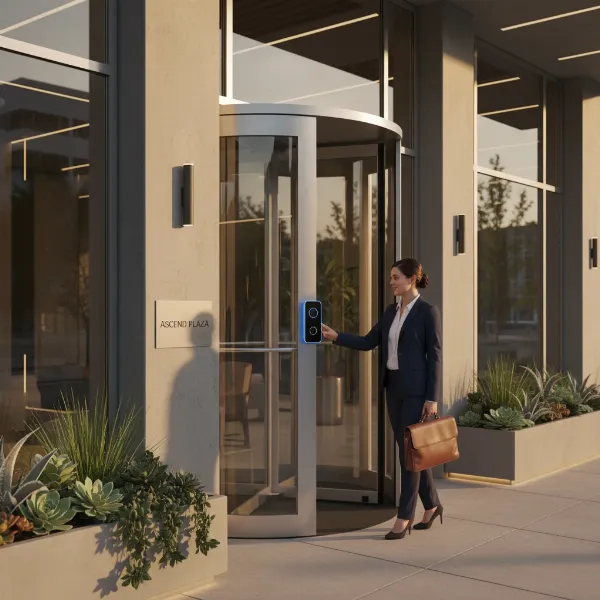
Ensuring the security and operational efficiency of your office space is paramount in today’s dynamic business environment. A video doorbell, far from being just a residential gadget, serves as a critical first line of defense and a convenient access management tool for any modern workplace. Imagine being able to visually screen every visitor, manage deliveries, and grant access to staff or contractors, all from your desk or even remotely. This guide will walk you through the essential aspects of selecting the perfect video doorbell to safeguard your business and streamline daily operations.
What is a Video Doorbell?
A video doorbell is an integrated security device that combines a high-definition camera, a microphone, a speaker, and a traditional doorbell button into a single unit. When someone approaches your office entrance or presses the button, the device captures live video footage and typically sends an alert to a connected smartphone, tablet, or desktop application. This allows staff to see, hear, and speak to visitors in real-time, regardless of their physical location within or outside the office.
The core components of a video doorbell system include the doorbell unit itself, often featuring infrared LEDs for night vision and motion sensors. It connects to your office’s Wi-Fi network to transmit data and typically integrates with a companion mobile app for remote monitoring and control. Some advanced systems also include a chime unit for traditional audible alerts and can be integrated into broader office security or smart building management platforms, offering a cohesive security ecosystem.
Why Should Your Office Use a Video Doorbell?
Implementing a video doorbell system in an office environment offers a multitude of benefits, significantly enhancing security, operational efficiency, and overall peace of mind. Businesses, whether a small retail store, a sprawling warehouse, or a corporate office building, face unique security challenges that these devices are well-equipped to address.
First and foremost, a video doorbell dramatically strengthens office security. It acts as a visual deterrent to potential intruders and allows for proactive screening of all individuals attempting to gain entry. Staff can verify identities before granting access, reducing the risk of unauthorized personnel entering the premises. This is especially vital for businesses handling sensitive information or valuable assets.
Beyond security, video doorbells offer immense convenience and improved operational workflow. Imagine managing deliveries without interrupting busy staff, or verifying cleaning crews and contractors arriving after hours without being physically present. Remote monitoring capabilities mean that designated personnel can view activity and communicate with visitors from anywhere, ensuring no important delivery or client goes unnoticed. This also helps in creating a detailed log of all entries and exits, which can be invaluable for auditing or investigative purposes. Furthermore, these systems provide crucial evidence in case of incidents, capturing high-definition video of any suspicious activity, vandalism, or unauthorized access attempts. This footage can be critical for law enforcement or insurance claims, adding an extra layer of protection for your business.
Popular Types of Video Doorbells for Business
Video doorbells come in various configurations, each with distinct advantages suitable for different office needs and infrastructure. Understanding these types is crucial for making an informed decision.
Classification by Connection Type:
- Wired Video Doorbells: These devices connect directly to your office’s existing doorbell wiring, drawing continuous power. This eliminates the need for battery changes and often provides the most reliable connection and continuous recording capabilities. They are ideal for offices with established wiring or those undergoing new construction where hardwiring can be seamlessly integrated.
- Wireless (Battery-Powered) Video Doorbells: Offering greater installation flexibility, wireless video doorbells operate on rechargeable batteries. They are easier to install as they don’t require existing wiring, making them perfect for rental properties or temporary office spaces. However, they necessitate periodic battery recharging, and their recording times might be shorter or optimized to conserve battery life.
|
Our Picks for the Best Video doorbell in 2026
As an Amazon Associate I earn from qualifying purchases.
|
||
| Num | Product | Action |
|---|---|---|
| 1 | Ring Battery Doorbell (newest model), Home or business security with Head-to-Toe video, Live View with Two-Way Talk, and Motion Detection & Alerts, Satin Nickel |

|
| 2 | Blink Outdoor 4 XR – two-year battery wireless camera with 4x security coverage, 1000 ft open-air range or 400 ft with typical use — 2 camera system |
|
| 3 | Blink Video Doorbell (newest model) – Head-to-toe HD view, two-year battery life, and simple setup. Required Sync Module not included – Add-On (Black) |
|
| 4 | All-new Blink Video Doorbell + Outdoor 4 – Wireless smart security cameras, head-to-toe HD view, two-year battery life. Sync Module Core included – 1 camera system + Video Doorbell |
|
| 5 | Ring Battery Doorbell with Ring Indoor Cam 2nd Gen (White) |
|
| 6 | Ring Battery Doorbell with Ring Indoor Cam 2nd Gen (Black) |
|
| 7 | Blink Video Doorbell (newest model) – Head-to-toe HD view, two-year battery life, and simple setup. Sync Module Core included – System (Black) |
|
| 8 | Blink Mini 2K+ (newest model), Rental-Friendly Home & Security Camera with 2K video resolution, enhanced audio, motion detection, easy setup, 1 camera (Black) |
|
| 9 | Blink Video Doorbell (newest model) – Head-to-toe HD view, two-year battery life, and simple setup. Required Sync Module not included – Add-On (White) |
|
| 10 | Ring Battery Doorbell (newest model), Home or business security with Head-to-Toe video, Live View with Two-Way Talk, and Motion Detection & Alerts, Venetian Bronze |
|
Classification by Features:
- Basic Recording Doorbells: These models typically offer live view and record short clips when motion is detected or the doorbell is pressed. They are a good entry-level option for general monitoring.
- Two-Way Audio Doorbells: A standard feature in most modern video doorbells, two-way audio allows for real-time conversation between the visitor at the door and the person viewing through the app. Look for models with noise suppression for clear communication, even in busy outdoor environments.
- Motion Detection Doorbells: Nearly all video doorbells include motion detection, but advanced models offer customizable motion zones and adjustable sensitivity settings. This helps in filtering out irrelevant alerts (e.g., passing traffic) and focusing on specific areas of interest, such as the immediate entryway or a package drop-off zone.
- AI-Integrated Doorbells: These advanced doorbells leverage Artificial Intelligence to differentiate between people, packages, animals, and vehicles. This significantly reduces false alarms and provides more relevant notifications, which is particularly beneficial in high-traffic office environments. Some even include facial recognition for authorized personnel.
The choice between wired and wireless often depends on your office’s infrastructure and installation preferences. For continuous, uninterrupted surveillance, a wired solution is generally preferred. For ease of installation and flexibility, battery-powered models are excellent. The feature set should align directly with your office’s specific security and operational requirements.
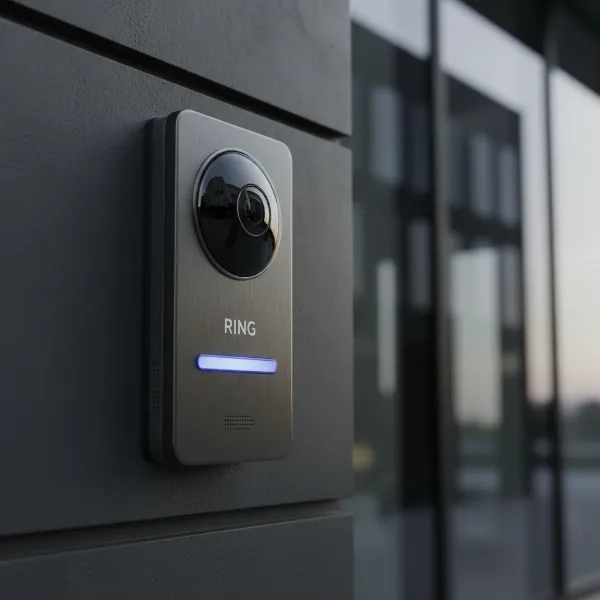 A modern video doorbell installed on an office building entrance, highlighting its key features like camera lens and button.
Comparing Leading Video Doorbell Brands for Offices
When selecting a video doorbell for your office, several reputable brands offer solutions with varying features and ecosystem integrations. Here’s a comparison of some popular options, focusing on aspects relevant to a business setting:
| Brand | Key Features (Business Focus) | Connectivity | Subscription | Integration Eco-system | Pros | Cons |
|---|---|---|---|---|---|---|
| Ring | Wide field of view, 3D motion detection, package detection, linked devices. | Wired/Battery | Optional | Alexa, Ring Alarm | Robust ecosystem, good for multiple entry points | Subscription often needed for full features |
| Nest | Facial recognition, intelligent alerts, continuous recording (wired). | Wired/Battery | Optional | Google Home, Nest ecosystem | Excellent AI, sleek design | Can be more expensive, subscription for history |
| Arlo | 2K HDR video, person/package/vehicle detection, direct-to-phone calls. | Wired/Battery | Optional | Arlo security cameras, Alexa, Google Assistant | High-quality video, robust outdoor design | Battery models require frequent charging |
| Eufy | 2K video, local storage (no subscription), dual cameras (E340). | Wired/Battery | No (Local Storage) | Eufy Security, Alexa, Google Assistant | No monthly fees, strong privacy focus | AI features can sometimes be less refined |
| SimpliSafe | Best intruder prevention, integrates with SimpliSafe security systems. | Wired | Optional | SimpliSafe Alarm System | Seamless security system integration | Primarily wired, less standalone flexibility |
| Lorex | 4K battery doorbell, local video storage, color night vision. | Wired/Battery | No (Local Storage) | Lorex Security | High resolution, local storage for privacy | App interface can be less intuitive |
This table provides a snapshot, but deeper research into specific models from these brands is recommended to match your exact office requirements. Consider the long-term costs, including any necessary subscriptions for cloud storage or advanced AI features, as well as compatibility with your existing security infrastructure.
Guide to Choosing the Right Video Doorbell for Your Office
Selecting the ideal video doorbell for your office involves a systematic approach, ensuring the chosen device meets your specific security needs, operational demands, and budget.
1. Define Your Usage Needs:
Start by outlining the primary purpose. Are you focused on deterring theft, managing deliveries, enhancing employee safety, or simply monitoring general activity? For high-traffic areas, you’ll need robust motion detection and clear video. For after-hours access control, remote unlock capabilities and reliable two-way audio are key. Consider how many entry points need coverage and if integration with existing systems (e.g., access control, alarm system) is necessary.
2. Determine Your Budget:
Video doorbells vary widely in price, from budget-friendly options to premium models with advanced AI. Factor in not just the initial purchase cost but also potential installation fees (especially for wired systems) and any recurring subscription costs for cloud storage, advanced analytics, or professional monitoring. Sometimes, a slightly higher upfront investment in a subscription-free model with local storage can save money in the long run.
3. Identify Essential Features:
- Video Resolution and Field of View: For clear identification, opt for 1080p Full HD or higher (2K, 4K). A wide field of view (160 degrees or more) is crucial to minimize blind spots, especially for wide office entrances or areas with package deliveries.
- Night Vision: Most criminal activities occur at night. Ensure the doorbell has effective night vision (infrared for discreet black-and-white, or color night vision with integrated spotlights).
- Motion Detection & AI: Look for customizable motion zones to avoid false alarms. AI features like person, package, or vehicle detection are invaluable for an office to provide relevant alerts.
- Two-Way Audio: Clear audio with noise suppression is essential for effective communication with visitors.
- Connectivity: Decide between wired for continuous power and reliability, or wireless (battery-powered) for easier installation and flexibility. Ensure it has a strong Wi-Fi connection.
- Storage Options: Local storage (microSD card) offers subscription-free operation and enhanced privacy. Cloud storage provides off-site backup and often integrates with advanced features, but usually requires a subscription.
- Weather Resistance: The doorbell should be rated for outdoor use, capable of withstanding local weather conditions (e.g., IP65 rating or higher).
4. Research Reputable Brands:
Stick to well-known brands like Ring, Nest, Arlo, Eufy, or SimpliSafe, which generally offer better support, app functionality, and firmware updates. Read reviews specifically from business users if available.
5. Consider Installation and Support:
While some wireless models are DIY-friendly, wired installations or integrating with complex office security systems might require professional installation. Verify the warranty policy and the availability of customer support should you encounter any issues.
Installation and Usage of Your Office Video Doorbell
Proper installation and effective utilization are key to maximizing the benefits of your office video doorbell. While some setups can be a DIY project, professional installation is often recommended for wired systems or complex integrations in a business environment.
Basic Installation Steps:
- Preparation: Turn off power to the existing doorbell at the breaker.
- Mounting: Securely mount the new video doorbell at an optimal height (typically around 48 inches from the ground) to capture faces clearly. Ensure it has a clear line of sight and is protected from direct impact if possible.
- Wiring/Battery Insertion: For wired models, connect the existing doorbell wires to the new device following the manufacturer’s instructions. For wireless models, simply insert the charged battery.
- Power Restoration & Setup: Restore power. Download the manufacturer’s app, create an account, and follow the on-screen instructions to connect the doorbell to your office’s Wi-Fi network and complete the initial setup. This usually involves scanning a QR code or pairing via Bluetooth.
Maximizing Usage with Key Features:
- Customize Motion Zones: Most apps allow you to draw specific areas within the camera’s view where you want motion detected. Exclude busy public sidewalks or roads to reduce unnecessary notifications.
- Adjust Sensitivity: Fine-tune motion sensitivity to avoid triggering alerts from small animals or rustling leaves, focusing only on human-sized activity.
- Two-Way Talk: Utilize the two-way audio feature to speak with delivery drivers, greet expected clients, or deter suspicious individuals directly through the app.
- Remote Access: Train designated staff on how to access the live feed, review recorded events, and potentially unlock integrated smart locks remotely. This is especially useful for managing after-hours access or verifying visitors when the reception is unattended.
- Integrate with Other Systems: If your office has a smart security system (e.g., alarm, smart locks), integrate the video doorbell for a more cohesive and automated security solution. For example, a motion detection event could trigger interior lights or activate an alarm.
Troubleshooting Common Issues:
- Wi-Fi Connectivity: Ensure your office Wi-Fi network is strong and stable at the doorbell’s location. Consider a Wi-Fi extender if the signal is weak.
- Battery Life: For wireless models, regularly check battery status via the app and recharge as needed. Have a spare charged battery on hand if continuous operation is critical.
- False Alerts: Adjust motion zones and sensitivity settings. For advanced doorbells, ensure person/package detection is enabled and configured correctly.
- Poor Video Quality: Check your Wi-Fi signal strength. If the issue persists, the doorbell might be exposed to too much direct sunlight or glare; consider repositioning or adding a glare shield.
Important Considerations for Office Video Doorbells
While video doorbells offer significant advantages for businesses, it’s crucial to address certain considerations to ensure compliance, privacy, and long-term effectiveness.
Data Security and Privacy:
For an office environment, data security is paramount. Understand where your video footage is stored—locally on an SD card or in the cloud. If using cloud storage, inquire about the provider’s encryption protocols and data retention policies. Ensure that access to the doorbell’s feed and recordings is restricted to authorized personnel only, utilizing strong passwords and two-factor authentication. Some brands, like Eufy and Lorex, emphasize local storage, which can offer enhanced privacy as your data remains on-site.
Legal Compliance and Privacy Regulations:
Depending on your location, there may be specific laws regarding video surveillance in public or semi-public spaces. It’s important to be aware of these regulations, particularly concerning audio recording and the notification of individuals being recorded. In some areas, you might be required to display signage informing visitors that the area is under video surveillance. Consult with legal counsel if you have concerns about specific privacy laws in your jurisdiction.
Maintenance and Longevity:
Regular maintenance can extend the life of your video doorbell.
- Cleaning: Periodically clean the camera lens and motion sensor to ensure clear video quality and accurate detection. Dust, dirt, and cobwebs can obstruct the view.
- Firmware Updates: Keep the doorbell’s firmware updated. Manufacturers frequently release updates that improve performance, add features, and patch security vulnerabilities.
- Weather Protection: While most outdoor doorbells are weather-resistant, extreme conditions (e.g., heavy rain, intense heat, freezing temperatures) can still affect performance over time. Consider additional protective covers if your office is in an area with harsh weather.
Integration with Existing Systems:
Evaluate how well the video doorbell integrates with your current office security infrastructure, such as access control systems, alarm systems, or smart lighting. A seamlessly integrated system provides a more comprehensive and efficient security solution, reducing the need for multiple disparate applications and monitoring interfaces.
Conclusion
Choosing the right video doorbell for your office is a strategic investment in both security and operational efficiency. By carefully evaluating your unique business needs, understanding the available features, comparing reputable brands, and considering crucial aspects like privacy and integration, you can select a device that provides invaluable protection and convenience. A well-chosen video doorbell acts as an vigilant greeter and a vigilant guardian, ensuring peace of mind for you, your employees, and your visitors.
What specific security challenges does your office face that a Video Doorbell could help solve?