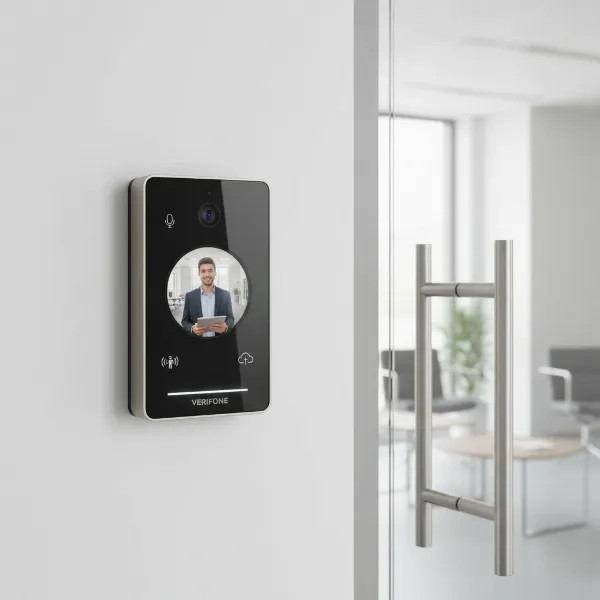
The modern home is increasingly interconnected, and at its forefront stands the video doorbell, a device that has transformed how we interact with our front doors. No longer just a simple chime, today’s video doorbells offer a sophisticated blend of security, convenience, and peace of mind, allowing homeowners to see, hear, and speak to visitors from anywhere in the world. But with a rapidly evolving market flooded with new models and advanced features, what do customers truly think of these smart devices in 2026? This comprehensive review dives into the latest trends, customer feedback, and expert insights to help you navigate the landscape of video doorbells and find the perfect fit for your household.
What is a Video Doorbell?
A video doorbell is a smart device that combines the functionality of a traditional doorbell with a camera, microphone, and speaker, allowing homeowners to monitor their entryway remotely. When a visitor presses the doorbell button or the integrated motion sensor detects activity, the device sends an alert to a connected smartphone or tablet. Users can then view a live video feed, engage in two-way audio communication with the person at the door, and even record footage for later review. Key components typically include a high-definition camera, infrared LEDs for night vision, a motion detection sensor, an internal speaker and microphone for two-way talk, and Wi-Fi connectivity to link with your home network and mobile devices. The evolution of video doorbells has been rapid, moving from basic live-view capabilities to advanced systems incorporating artificial intelligence, high-resolution video, and seamless smart home integration, fundamentally changing how we secure and manage our home entrances.
Why You Should Consider a Video Doorbell
The benefits of integrating a video doorbell into your home security system extend far beyond simply knowing who’s at the door. These devices offer a multifaceted approach to safeguarding your property and enhancing your daily life.
One of the primary advantages is enhanced home security. A video doorbell acts as a visible deterrent to potential intruders, often making them think twice before approaching your property. With real-time monitoring and instant alerts sent to your phone, you’re immediately aware of any suspicious activity, whether you’re at home or thousands of miles away. Many models also record footage, providing invaluable evidence in the event of a package theft or attempted break-in.
Beyond security, video doorbells offer unparalleled convenience. Imagine being able to answer your door from your office, a coffee shop, or even another room in your house. This is particularly useful for managing deliveries, instructing couriers where to leave packages, or greeting friends and family when you’re momentarily occupied. For busy professionals or frequent travelers, the ability to maintain a constant connection to your home’s entry point provides significant peace of mind.
Video doorbells are especially effective in various situations, such as receiving important deliveries when you’re not home, screening visitors before opening the door, or keeping an eye on children returning from school. The technology allows for proactive security measures, letting you address situations as they happen rather than after the fact.
Popular Video Doorbell Types on the Market
The video doorbell market offers a diverse range of options, primarily categorized by their power source and the advanced features they offer. Understanding these distinctions is crucial for selecting a device that aligns with your specific needs.
Classification by Connection Type:
- Wired Video Doorbells: These doorbells connect to your home’s existing doorbell wiring, drawing continuous power. This eliminates the need for battery changes and often allows for more robust features, such as continuous recording or more powerful internal processors. Wired models typically offer greater reliability in terms of connectivity and operation, as they have a stable power supply. However, installation can be more involved, potentially requiring professional assistance if you’re not comfortable with electrical work.
- Wireless (Battery-Powered) Video Doorbells: Designed for easy DIY installation, these models run on rechargeable batteries, offering greater flexibility in placement. They are ideal for homes without existing doorbell wiring or for renters. While installation is simpler, battery life is a key consideration, with some requiring recharges every few months depending on usage and settings. Advancements in battery technology and the inclusion of optional solar panels are improving their convenience.
Classification by Features:
- Video Recording and Quality: Most modern video doorbells offer HD video quality (1080p), with many now featuring 2K and even 4K resolution for crystal-clear images. Field of view is also critical, with some offering “head-to-toe” views to capture packages on the ground, while others provide wider horizontal angles.
- Two-Way Talk: A standard feature, this allows for seamless communication between the homeowner (via their smartphone) and the visitor at the door.
- Motion Detection: Advanced motion sensors can detect activity near your doorstep and send alerts. Higher-end models offer customizable motion zones, allowing you to focus on specific areas, and intelligent detection that can differentiate between people, animals, and packages, reducing false alarms.
- AI Integration: Some premium video doorbells incorporate AI for advanced functions like facial recognition, which can identify known visitors, or more accurate package detection, alerting you specifically when a delivery has arrived.
- Night Vision: Both black-and-white infrared night vision and color night vision are common, with color options offering better clarity and detail in low-light conditions.
- Storage Options: Video footage can be stored locally (e.g., on a microSD card in a hub) or in the cloud. Cloud storage often requires a monthly subscription, while local storage provides a subscription-free alternative, though it may lack remote access features.
Each type comes with its own set of advantages and disadvantages. Wired doorbells are generally more reliable but harder to install, while wireless options are convenient for installation but require battery maintenance. Features like AI and higher resolutions often come at a premium, highlighting the importance of balancing desired functionality with budget and practical considerations.
Comparing Leading Video Doorbell Brands
The market for video doorbells is dominated by several key players, each offering distinct features and catering to different user preferences. Here’s a comparison of some popular brands based on customer feedback and product specifications:
| Brand/Model | Power Source | Resolution | Field of View | Key Features | Storage | Subscription | Smart Home Integration | Typical Price Range |
|---|---|---|---|---|---|---|---|---|
| Ring Battery Doorbell Pro | Battery | HD+ / 1536p | Head-to-toe | 3D Motion Detection, Bird’s Eye View, package detection, removable battery | Cloud | Required | Alexa | £180 |
| Google Nest Doorbell (Battery) | Battery | 1080p HDR | 145º (vertical) | HDR video, person/package detection, good integration with Google Home | Cloud | Required | Google Home, Alexa (limited) | £177.95 |
| Arlo Video Doorbell 2K | Wired/Battery | 2K | 180º (diagonal) | 2K HDR video, 12x zoom, package detection, direct-to-mobile call | Cloud | Required | Alexa, Google Home, HomeKit | £150 |
| Eufy Video Doorbell E340 | Battery | 2K Dual | 160º (main), 120º (down) | Dual cameras (head-to-toe), local storage, no monthly fee | Local (hub) | Optional | Alexa, Google Home | £74.99 – £99.99 |
| Blink Smart Video Doorbell | Battery | 1080p | 135º (diagonal) | Long battery life (up to 2 years), includes Sync Module, affordable | Cloud/Local (Sync Module) | Optional | Alexa | £59.99 |
| Tapo D230S1 Battery Video Doorbell | Battery | 2K QHD | 160º (diagonal) | Excellent video quality (day/night), local storage (microSD), easy app | Local (hub) | Optional | Alexa, Google Home | £80 |
- Ring: Often praised for its strong integration with Amazon Alexa and a wide range of accessories. Customers appreciate features like 3D Motion Detection and Bird’s Eye View on Pro models, though a subscription is almost compulsory for full functionality. The removable battery on some models is a significant convenience.
- Google Nest: Known for its sleek design and excellent integration with the Google Home ecosystem. Users value its smart detection capabilities and HDR video, but some find the Google Home app less fluid than competitors.
- Arlo: Offers high-resolution video and versatile power options. While its app is generally well-regarded, customers note that its subscription price has increased, which can be a drawback for those seeking budget-friendly long-term solutions.
- Eufy: Stands out for its commitment to local storage and the absence of mandatory monthly subscriptions, which is a major draw for privacy-conscious and budget-aware consumers. Models like the E340 with dual cameras are highly rated for comprehensive coverage.
- Blink: Positioned as a budget-friendly option, it’s favored for its long battery life and simple operation, especially for users already invested in the Amazon ecosystem.
- Tapo: Gains positive feedback for its superb video quality and user-friendly app, often seen as a strong value-for-money option, particularly for its local storage capabilities.
Each brand has its unique selling points, and customer satisfaction often hinges on how well these align with individual priorities, whether it’s subscription-free usage, smart home compatibility, or advanced security features.
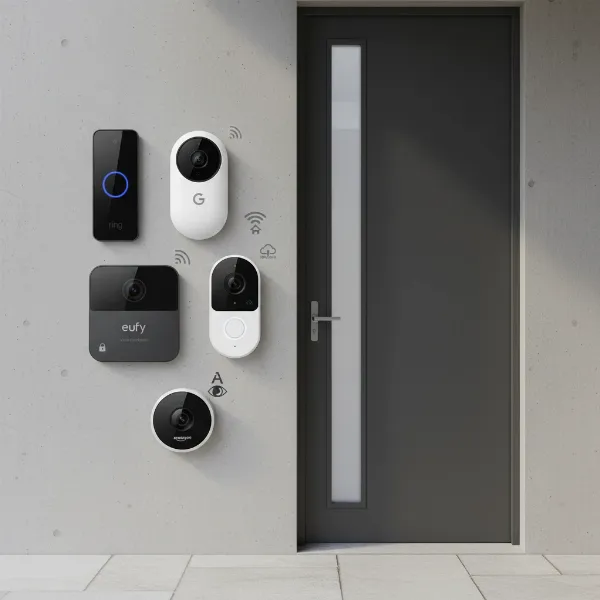 Modern video doorbells from various brands displayed together on a contemporary home entrance, showcasing diversity in design and features with subtle icons representing wired/wireless, smart home logos like Alexa and Google Assistant.
How to Choose a Video Doorbell That’s Right for You
Selecting the ideal video doorbell involves more than just picking a popular brand; it requires a thoughtful assessment of your specific circumstances and preferences. Here’s a practical buying guide to help you make an informed decision:
-
Identify Your Needs and Priorities: Start by considering what you primarily want your video doorbell to achieve. Is it solely for security and deterrence? Do you need to monitor package deliveries frequently? Is two-way communication with visitors a top priority? Or perhaps you just want a basic alert system. Clearly defining your primary needs will narrow down your options significantly.
-
Determine Your Budget: Video doorbells range widely in price, from budget-friendly options under £100 to premium models exceeding £200. Factor in not just the initial purchase price but also potential ongoing costs, such as monthly subscription fees for cloud storage or advanced AI features. Some brands offer subscription-free local storage, which can lead to significant long-term savings.
-
Evaluate Essential Features:
- Video Quality and Field of View: For clear identification, look for at least 1080p resolution. A wide field of view, especially a head-to-toe perspective, is beneficial for monitoring packages.
- Motion Detection: Customizable motion zones and smart detection (distinguishing people from pets or vehicles) are crucial for reducing false alarms.
- Two-Way Talk: Ensure clear audio for effective communication.
- Night Vision: Decide if standard infrared is sufficient or if color night vision is a must-have for better detail in the dark.
- Storage: Consider if local storage (e.g., microSD card) is preferred for no subscription costs, or if you’re comfortable with cloud storage, which often comes with a monthly fee but offers convenient remote access and backup.
-
Consider Connectivity: Wired vs. Wireless:
- If your home has existing doorbell wiring and you’re comfortable with a slightly more complex installation (or hiring a professional), a wired doorbell offers continuous power and consistent reliability.
- If you lack existing wiring, prefer a simpler DIY installation, or need flexible placement, a battery-powered wireless doorbell is ideal. Be prepared for occasional battery recharging or replacement.
-
Smart Home Ecosystem Compatibility: If you already use smart home devices like Amazon Alexa, Google Home, or Apple HomeKit, choose a video doorbell that seamlessly integrates with your existing ecosystem. This ensures a unified and convenient smart home experience. For instance, Ring products generally work best with Alexa, while Google Nest is optimized for Google Home.
-
Read Customer Reviews and Expert Opinions: Once you have a shortlist, delve into recent customer reviews and expert comparisons. Pay attention to feedback regarding app performance, notification speed, false alarms, customer support, and long-term durability. Real-world experiences often highlight strengths and weaknesses not immediately apparent from product specifications.
-
Understand Warranty and Support: Check the manufacturer’s warranty and the availability of customer support. A good warranty and responsive technical support can save you headaches if you encounter any issues with your device.
By meticulously considering these factors, you can confidently select a video doorbell that not only meets your security needs but also fits seamlessly into your lifestyle and budget.
Installing and Using Your Video Doorbell
Once you’ve chosen your video doorbell, proper installation and understanding its features are key to maximizing its benefits. While specific steps vary by model, here’s a general guide and tips for common usage.
Basic Installation Steps:
- Power Off: For wired doorbells, always start by turning off the power to your existing doorbell at the circuit breaker. This is a crucial safety step.
- Remove Old Doorbell (if applicable): Carefully disconnect and remove your old doorbell button.
- Mount the Bracket: Secure the mounting bracket for your new video doorbell to your doorframe or wall using the provided screws. Many come with wedge kits to adjust the viewing angle.
- Connect Wiring / Insert Battery:
- Wired: Connect the existing doorbell wires to the terminals on the back of your new video doorbell, following the manufacturer’s instructions.
- Wireless: Insert the fully charged battery pack into the doorbell unit.
- Secure the Doorbell: Attach the video doorbell unit to its mounting bracket.
- Restore Power / Set Up in App: Turn the power back on at the circuit breaker (for wired models). Open the doorbell’s companion app on your smartphone and follow the on-screen instructions to connect the device to your home Wi-Fi network, configure settings, and test its functionality.
Using Your Video Doorbell:
- Customize Motion Zones: Most apps allow you to define specific “motion zones” within the camera’s field of view. This helps reduce unwanted alerts from passing cars or pedestrians, focusing only on areas relevant to your doorstep.
- Adjust Sensitivity: Experiment with motion detection sensitivity settings to find a balance between catching important events and avoiding excessive notifications.
- Two-Way Talk: Use the live view feature in the app to speak to visitors. Ensure your phone’s volume is up and microphone access is granted to the app.
- Review Event History: All recorded events (motion detections, doorbell presses) are typically stored in the app’s history, allowing you to review footage as needed.
- Smart Home Integration: If integrated with Alexa or Google Home, learn voice commands to view your doorbell feed on smart displays or receive announcements when someone is at the door.
Troubleshooting Common Issues:
- No Power / Not Ringing: For wired doorbells, check your circuit breaker, inspect wiring for corrosion, and test the transformer (often located in a basement or near your electrical panel). For wireless models, ensure the battery is fully charged and correctly inserted.
- Wi-Fi Connectivity Problems: Weak Wi-Fi signals are a common culprit. Try moving your router closer, using a Wi-Fi extender, or rebooting your router. Ensure the doorbell’s firmware is up to date via the app.
- Delayed Notifications: This can often be due to poor Wi-Fi, background apps on your phone, or battery optimization settings for the doorbell app. Ensure the app has full permissions and a strong network connection.
- Chime Not Working: If your indoor chime isn’t sounding, check the doorbell app settings to ensure the chime is enabled and its volume is adequate. For wired setups, inspect the wiring to the chime box.
- False Motion Alerts: Refine your motion detection zones and adjust sensitivity settings in the app. Some advanced models offer person or package detection to minimize irrelevant alerts.
Regularly updating your doorbell’s firmware and cleaning its camera lens will also help ensure optimal performance and extend its lifespan.
Important Considerations for Video Doorbell Users
While video doorbells offer immense benefits, it’s crucial for users to be aware of certain considerations, particularly regarding privacy, security, and maintenance, to ensure a positive and responsible experience.
Privacy and Security:
One of the most significant concerns revolves around data privacy. Video doorbells record footage, which often includes individuals approaching your property. It’s essential to understand where this data is stored (local vs. cloud) and how it’s protected. Always use strong, unique passwords for your doorbell’s account and enable two-factor authentication if available. Be mindful of the camera’s field of view; while it’s tempting to capture a wide area, ensure your device isn’t inadvertently recording too much of your neighbors’ property or public spaces, as this could lead to privacy disputes.
Furthermore, adherence to local laws and regulations regarding video recording and surveillance is paramount. Laws vary significantly by region regarding consent for recording and public vs. private property surveillance. Familiarize yourself with these rules to avoid legal complications. Only share footage responsibly and with permission if it involves others.
Maintenance and Longevity:
To keep your video doorbell functioning optimally, regular maintenance is required. This includes:
- Cleaning the Lens: Dust, dirt, and spiderwebs can obscure the camera’s view. A soft, damp cloth can usually clean the lens effectively.
- Firmware Updates: Manufacturers frequently release firmware updates to improve performance, add new features, and patch security vulnerabilities. Ensure your device’s firmware is always up to date through the companion app.
- Battery Management (for wireless models): If you have a battery-powered doorbell, monitor its battery life and recharge or replace batteries as recommended by the manufacturer. Neglecting this can lead to unexpected downtime.
- Weather Protection: While most outdoor doorbells are weather-resistant, extreme conditions can still impact performance. Ensure the device is securely mounted and, if possible, consider a protective cover in areas prone to harsh weather.
By being proactive about these considerations, users can not only enhance the security and functionality of their video doorbell but also ensure they are using the technology responsibly and respectfully within their community.
Conclusion
Video doorbells have firmly established themselves as an indispensable component of modern home security, offering a blend of vigilance and connectivity that was unimaginable just a few years ago. From deterring unwelcome visitors to ensuring package deliveries are handled smoothly and staying connected with your front door from anywhere, these devices truly empower homeowners. The current market offers an impressive array of choices, from subscription-free models prioritizing local storage to advanced systems with AI-powered detection and seamless smart home integration.
The diverse array of customer experiences highlights that the “best” video doorbell isn’t a one-size-fits-all solution; it’s the one that most closely aligns with your individual security needs, budget, existing smart home ecosystem, and comfort with installation and maintenance. By carefully considering factors like power source, video resolution, smart features, and storage options, you can make an informed decision. As technology continues to advance, video doorbells will undoubtedly become even more intuitive and integrated, further blurring the lines between security and convenience.
So, as you weigh your options, which features resonate most with your vision for a smarter, more secure home?
Frequently Asked Questions
Do I need a subscription for my video doorbell to work?
|
Our Picks for the Best Video doorbell in 2026
As an Amazon Associate I earn from qualifying purchases.
|
||
| Num | Product | Action |
|---|---|---|
| 1 | Blink Outdoor 4 XR – two-year battery wireless camera with 4x security coverage, 1000 ft open-air range or 400 ft with typical use — 2 camera system |

|
| 2 | Blink Mini 2K+ (newest model), Rental-Friendly Home & Security Camera with 2K video resolution, enhanced audio, motion detection, easy setup, 1 camera (Black) |
|
| 3 | Blink Video Doorbell (newest model) – Head-to-toe HD view, two-year battery life, and simple setup. Required Sync Module not included – Add-On (White) |
|
| 4 | Ring Battery Doorbell with Ring Indoor Cam 2nd Gen (Black) |
|
| 5 | Ring Battery Doorbell (newest model), Home or business security with Head-to-Toe video, Live View with Two-Way Talk, and Motion Detection & Alerts, Venetian Bronze |
|
| 6 | Blink Video Doorbell (newest model) – Head-to-toe HD view, two-year battery life, and simple setup. Required Sync Module not included – Add-On (Black) |
|
| 7 | Ring Battery Doorbell with Ring Indoor Cam 2nd Gen (White) |
|
| 8 | Ring Battery Doorbell (newest model), Home or business security with Head-to-Toe video, Live View with Two-Way Talk, and Motion Detection & Alerts, Satin Nickel |
|
| 9 | All-new Blink Video Doorbell + Outdoor 4 – Wireless smart security cameras, head-to-toe HD view, two-year battery life. Sync Module Core included – 1 camera system + Video Doorbell |
|
| 10 | Blink Video Doorbell (newest model) – Head-to-toe HD view, two-year battery life, and simple setup. Sync Module Core included – System (Black) |
|
Many video doorbells offer basic features like live view and instant alerts without a subscription. However, most brands require a paid subscription plan for advanced features such as cloud video storage, person/package detection, and extended video history. Some brands, like Eufy and Tapo, offer local storage options to avoid monthly fees for core functionalities.
How long do battery-powered video doorbells last on a single charge?
Battery life for wireless video doorbells can vary significantly, typically ranging from a few weeks to six months, and some even up to two years (like Blink). Factors affecting battery life include the frequency of motion detection, live view usage, video quality settings, and ambient temperature. Many come with removable, rechargeable batteries for convenience.
Can video doorbells integrate with my existing smart home system?
Yes, most popular video doorbells are designed to integrate with major smart home ecosystems. Ring doorbells work seamlessly with Amazon Alexa, while Google Nest doorbells are optimized for Google Home devices. Arlo, Eufy, and Tapo often offer compatibility with both Alexa and Google Home, and some models support Apple HomeKit. Check specific product compatibility before purchase.
Are wired or wireless video doorbells better?
Neither is inherently “better”; it depends on your home and preferences. Wired doorbells offer continuous power, consistent performance, and no need for battery changes, making them ideal if you have existing wiring and prefer reliability. Wireless doorbells are easier to install, more flexible in placement, and suited for homes without existing wiring, but require periodic battery recharging.
What resolution should I look for in a video doorbell?
For clear video footage, especially for identifying faces or reading package labels, aim for a Video Doorbell with at least 1080p (Full HD) resolution. Many newer models now offer 2K (Quad HD) or even 4K resolution, providing superior detail and allowing for digital zoom without significant loss of clarity.
How can I prevent false motion alerts from my video doorbell?
To minimize false alerts from pets, passing cars, or environmental factors, utilize your doorbell app’s customization features. This often includes setting specific motion detection zones (to monitor only your porch, for example), adjusting motion sensitivity levels, and enabling smart detection features that differentiate between people, animals, and vehicles.