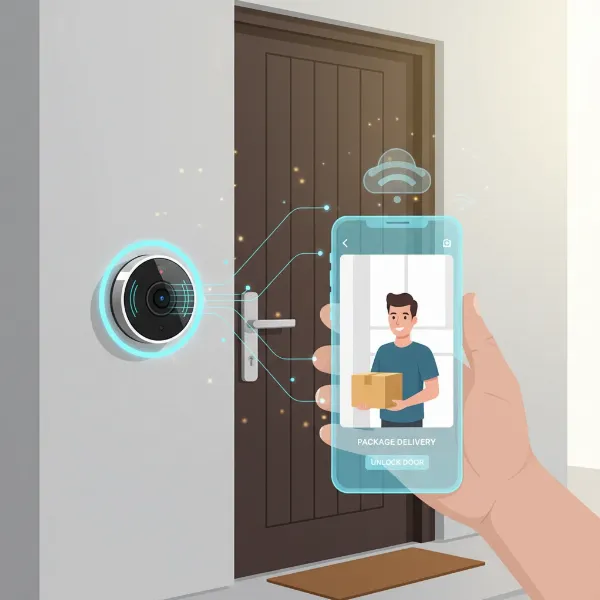
In today’s rapidly evolving world, home security has moved beyond simple locks and alarms. The unassuming doorbell, once a basic signaling device, has undergone a significant transformation, offering homeowners unprecedented control and peace of mind. As an experienced technician who has spent over a decade immersed in video doorbell technology, I’ve witnessed firsthand how these smart devices are reshaping our interactions with visitors and enhancing our home’s defenses. This article delves into a comprehensive comparison between traditional doorbells and their smart video counterparts, guiding you through their functionalities, benefits, popular brands, and crucial considerations to help you choose the ideal solution for your household.
What is a Video Doorbell?
A video doorbell is an internet-connected device that notifies you on your smartphone or other smart devices when someone is at your door. Unlike a traditional doorbell that simply chimes, a video doorbell features a built-in high-definition camera, microphone, and speaker, allowing you to see, hear, and speak to visitors remotely. This smart device activates when the button is pressed or when its motion sensors detect a visitor.
The core components of a video doorbell system typically include:
- High-Definition Camera: Captures clear video footage, often with wide-angle views and night vision capabilities for visibility day and night.
- Microphone and Speaker: Enable two-way audio communication, letting you converse with whoever is at your door from anywhere.
- Motion Sensor: Detects movement near your entryway, triggering alerts and recording even if the doorbell isn’t pressed.
- Wi-Fi Connectivity: Connects the device to your home network, allowing remote access via a smartphone app.
- Power Source: Can be wired to existing doorbell electrical systems for continuous power or battery-operated for easier, wireless installation.
The concept of video surveillance dates back to the 1870s, with early innovations in alarm systems by Edwin Holmes. However, the modern video doorbell, as we know it, began to emerge in the early 2010s. Entrepreneur Jamie Siminoff introduced the first prototype, the Doorbot, which later evolved into the Ring Video Doorbell in 2013. Since then, numerous brands have entered the market, continuously advancing features like higher resolution, AI-powered detection, and seamless smart home integration.
Why Choose a Video Doorbell?
Opting for a video doorbell over a standard bell offers a multitude of advantages that significantly enhance home security and convenience. These devices provide a proactive layer of protection, allowing you to monitor and interact with your front door from anywhere in the world.
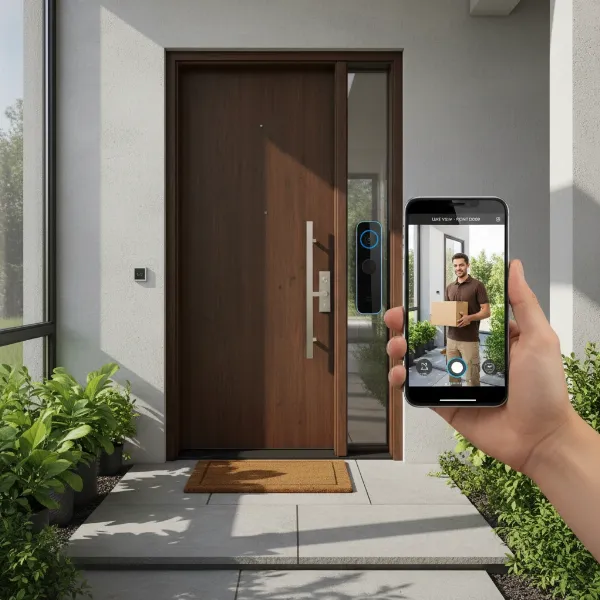 A sleek, modern video doorbell mounted on a dark wooden door, with a smartphone showing a live feed of a delivery person. The image highlights the security and convenience benefits.
The primary benefits include:
- Enhanced Home Security: With real-time video surveillance and motion detection, you can always know who is at your door before opening it. This is particularly valuable for screening unexpected visitors or deterring potential intruders. High-definition cameras capture clear footage, serving as crucial evidence if suspicious activity or a crime occurs.
- Convenience and Remote Monitoring: Whether you’re at work, on vacation, or simply in another room, a video doorbell allows you to monitor your front door through your smartphone. You can answer the door remotely, speak with visitors, or instruct delivery personnel on where to leave packages, giving you peace of mind and control.
- Package Theft Prevention: Video doorbells act as a powerful deterrent against “porch pirates.” Visible cameras and the ability to intervene remotely through two-way audio can significantly reduce the risk of stolen packages. Real-time notifications for deliveries ensure you’re aware the moment a package arrives.
- Evidence Collection: In the unfortunate event of a theft or suspicious activity, recorded video footage can be invaluable. These recordings can be provided to law enforcement, assisting in identifying individuals and solving crimes. Some systems even offer cloud storage, keeping your recordings safe and accessible.
- Peace of Mind: Knowing you have a constant eye on your entryway, 24/7, brings immense comfort. Night vision capabilities ensure visibility even in low-light conditions, further bolstering your home’s security around the clock.
Video doorbells integrate seamlessly with smart home ecosystems, allowing for advanced automation and control, making them an indispensable tool for modern security.
Popular Video Doorbell Types on the Market
The market for video doorbells offers a diverse range of options, catering to different home setups, preferences, and budgets. Understanding the various types available is crucial for making an informed decision. These devices can broadly be categorized by their connection method and their advanced features.
Classification by Connection:
- Wired Video Doorbells: These doorbells connect to your home’s existing doorbell wiring for continuous power.
- Pros: Reliable, uninterrupted power supply, often allowing for continuous video recording. No need to worry about battery life. Generally offer more stable connections with less lag.
- Cons: Installation can be more complex, potentially requiring professional assistance if no existing wiring is present or if the transformer needs upgrading. Less flexible in placement options.
- Wireless Video Doorbells: These are battery-operated, offering greater flexibility in placement.
- Pros: Easy DIY installation without the need for existing wiring or complex electrical work. Ideal for apartments, rental properties, or homes without traditional doorbell wiring.
- Cons: Require periodic battery recharging or replacement. Battery life can be affected by frequent activity and extreme temperatures. May experience connectivity issues if Wi-Fi signal is weak.
|
Our Picks for the Best Video doorbell in 2026
As an Amazon Associate I earn from qualifying purchases.
|
||
| Num | Product | Action |
|---|---|---|
| 1 | Ring Battery Doorbell with Ring Indoor Cam 2nd Gen (Black) |

|
| 2 | Blink Mini 2K+ (newest model), Rental-Friendly Home & Security Camera with 2K video resolution, enhanced audio, motion detection, easy setup, 1 camera (Black) |
|
| 3 | Ring Battery Doorbell (newest model), Home or business security with Head-to-Toe video, Live View with Two-Way Talk, and Motion Detection & Alerts, Venetian Bronze |
|
| 4 | Blink Video Doorbell (newest model) – Head-to-toe HD view, two-year battery life, and simple setup. Required Sync Module not included – Add-On (White) |
|
| 5 | All-new Blink Video Doorbell + Outdoor 4 – Wireless smart security cameras, head-to-toe HD view, two-year battery life. Sync Module Core included – 1 camera system + Video Doorbell |
|
| 6 | Blink Video Doorbell (newest model) – Head-to-toe HD view, two-year battery life, and simple setup. Required Sync Module not included – Add-On (Black) |
|
| 7 | Ring Battery Doorbell with Ring Indoor Cam 2nd Gen (White) |
|
| 8 | Blink Outdoor 4 XR – two-year battery wireless camera with 4x security coverage, 1000 ft open-air range or 400 ft with typical use — 2 camera system |
|
| 9 | Blink Video Doorbell (newest model) – Head-to-toe HD view, two-year battery life, and simple setup. Sync Module Core included – System (Black) |
|
| 10 | Ring Battery Doorbell (newest model), Home or business security with Head-to-Toe video, Live View with Two-Way Talk, and Motion Detection & Alerts, Satin Nickel |
|
Classification by Features:
- Basic Recording and Two-Way Audio: Most video doorbells offer essential features like high-definition video recording (typically 1080p or 2K), live view, and two-way talk, allowing you to interact with visitors.
- Motion Detection: A standard feature, motion sensors alert you to activity near your door. Advanced models allow for customizable motion zones and sensitivity settings to reduce false alarms from pets or passing cars.
- Night Vision: Essential for 24/7 monitoring, most video doorbells include infrared LEDs for clear black-and-white imaging at night. Some advanced models offer color night vision under certain lighting conditions.
- Integrated AI (Artificial Intelligence): Modern video doorbells leverage AI for smarter detection. This includes:
- Person Detection: Differentiating between people and other moving objects, reducing irrelevant alerts.
- Package Detection: Specifically identifying when a package is delivered or picked up.
- Familiar Face Recognition: Some high-end models can recognize known individuals and send personalized alerts.
- Smart Home Integration: Many video doorbells can connect with popular smart home platforms like Amazon Alexa, Google Assistant, and Apple HomeKit, enabling voice control, displaying video feeds on smart displays, and creating automation routines.
- Local vs. Cloud Storage: Some doorbells offer local storage via a microSD card, avoiding subscription fees for video history. Others rely solely on cloud storage, often requiring a monthly subscription for full functionality and extended video retention.
The choice between these types depends on your home’s infrastructure, your desire for advanced features, and your comfort level with installation and maintenance.
Comparing Top Video Doorbell Brands
The video doorbell market is competitive, with several major players offering a range of products designed to meet diverse needs. Here’s a comparison of some of the most popular brands: Ring, Nest (Google), Arlo, Eufy, and Blink.
| Feature / Brand | Ring | Nest (Google) | Arlo | Eufy | Blink |
|---|---|---|---|---|---|
| Price Range | Mid to High | Mid to High | Mid to High | Mid to High | Low to Mid |
| Video Resolution | 1080p, 2K, 4K (Pro models) | 1080p, 2K | 1080p, 2K | 2K | 1080p |
| Power Options | Wired & Battery | Wired & Battery | Wired & Battery | Wired & Battery | Battery (Wired optional) |
| Field of View | 155°-180° horizontal | 160° diagonal, 3:4 aspect ratio (head-to-toe) | 160°-180° diagonal | 160° horizontal, 120° vertical (some dual-cam) | 100°-135° diagonal |
| Motion Detection | Customizable zones, 3D motion detection (Pro) | Activity zones, person/package/animal detection | Activity zones, person/package/vehicle detection | Customizable zones, human/pet detection, facial recognition (selected models) | Customizable zones |
| AI Features | Person alerts, package detection, Bird’s Eye View (Pro) | Familiar faces, package, animal, vehicle detection | Person, package, vehicle detection | Human, pet, package detection, facial recognition | Basic motion detection |
| Two-Way Audio | Yes | Yes | Yes | Yes | Yes |
| Night Vision | Infrared, some color night vision | Infrared, some color night vision | Infrared, some color night vision | Infrared, some color night vision | Infrared |
| Storage | Cloud (subscription required) | Cloud (subscription required for extended history) | Cloud (subscription required), some local with base station | Local (eMMC/SD card) & Cloud (optional subscription) | Cloud (subscription required), some local with Sync Module 2 |
| Smart Home Integration | Amazon Alexa, IFTTT | Google Assistant, Amazon Alexa (limited) | Amazon Alexa, Google Assistant, HomeKit | Amazon Alexa, Google Assistant, HomeKit | Amazon Alexa |
| Subscription Cost | Required for video history and advanced features | Required for extended video history and smart alerts | Required for cloud storage and advanced features | Optional for cloud storage, most features free | Required for cloud storage |
- Ring: An Amazon company, Ring offers the widest range of doorbell models, known for strong integration with Alexa and robust security features. While affordable entry-level options exist, the best features often require a Ring Protect subscription.
- Nest (Google): Google’s Nest doorbells are praised for their excellent video quality, advanced AI features (like familiar face detection), and seamless integration with Google Assistant. A Nest Aware subscription unlocks the full potential, including continuous video recording.
- Arlo: Arlo doorbells provide high-quality video and a wide field of view, often with both wired and wireless options. They integrate well with multiple smart home platforms and offer advanced object detection.
- Eufy: Eufy stands out for its emphasis on local storage and subscription-free operation for many core features. Their doorbells offer good video quality and AI detection without recurring monthly fees, which can be a significant cost-saver over time.
- Blink: Another Amazon-owned brand, Blink doorbells are typically more budget-friendly and offer a simpler feature set. They are known for long battery life and good integration with Alexa, but may lack some of the advanced AI capabilities of competitors.
When comparing, consider not just the upfront cost but also ongoing subscription fees, video resolution, field of view, AI capabilities, and how well the doorbell integrates with your existing smart home devices.
Guide to Choosing the Right Video Doorbell
Selecting the perfect video doorbell requires careful consideration of your specific needs, budget, and home setup. With so many options available, a structured approach can help you narrow down the choices.
Key Factors to Consider:
- Define Your Usage Needs:
- Why do you want a video doorbell? Is it primarily for package theft prevention, seeing who’s at the door when you’re away, general security, or simply convenience?
- How often do you expect activity? A busy street might require more sophisticated motion detection to minimize false alerts, while a quiet residential area might be fine with basic features.
- Set Your Budget:
- Video doorbells range from under $50 to over $300. Remember to factor in potential subscription costs for cloud storage and advanced AI features, which can add significant recurring expenses. Some brands, like Eufy, offer robust features with local storage, helping you avoid monthly fees.
- Evaluate Essential Features:
- Video Resolution: Aim for at least 1080p for clear identification. 2K or 4K offers superior detail.
- Field of View: A wider vertical and horizontal field of view is crucial to see visitors head-to-toe and packages on the ground. Some doorbells feature a 3:4 aspect ratio or dual cameras for optimal coverage.
- Motion Detection: Look for customizable motion zones and intelligent detection (person, package, vehicle) to reduce unwanted notifications.
- Two-Way Audio: Ensure clear audio quality for effective communication.
- Night Vision: Infrared night vision is standard, but some models offer color night vision for better detail in low light.
- Power Source: Decide between wired (continuous power, complex install) and wireless (battery-operated, easy install but requires charging). Check your existing doorbell’s transformer voltage if opting for a wired model (typically 16-24 VAC).
- Consider Your Home’s Setup:
- Existing Wiring: If you have existing doorbell wiring, a wired model might be ideal. If not, a battery-powered option is simpler.
- Wi-Fi Strength: A strong, stable 2.4 GHz Wi-Fi connection at your front door is critical for any smart doorbell. Consider a mesh Wi-Fi system or extender if your signal is weak.
- Compatibility: Ensure the doorbell integrates with your existing smart home ecosystem (Amazon Alexa, Google Assistant, Apple HomeKit) and other security devices.
- Doorframe Dimensions and Aesthetics: Check the physical size of the doorbell to ensure it fits your doorframe. Some models offer interchangeable faceplates for aesthetic customization.
- Research Brands and Reviews:
- Read reviews from trusted sources and compare products from reputable brands like Ring, Nest, Arlo, Eufy, and Blink. Pay attention to user feedback regarding app performance, notification speed, and customer support.
- Understand Warranty and Support:
- Investigate the manufacturer’s warranty and customer support options. Reliable support can be invaluable if you encounter installation or operational issues.
By systematically evaluating these points, you can confidently choose a video doorbell that not only meets your security needs but also integrates seamlessly into your smart home lifestyle.
Setting Up and Using Your Video Doorbell
Installing and configuring a video doorbell can seem daunting, but with the right guidance, it’s often a straightforward DIY project. Whether you choose a wired or wireless model, the basic steps are similar.
Basic Installation Steps:
- Turn Off Power: Safety first! Locate your home’s circuit breaker and turn off the power to your existing doorbell. Use a voltage tester to confirm the power is off before proceeding.
- Remove Old Doorbell: Unscrew and gently remove your old doorbell unit to expose the wires (for wired installations).
- Mount the Bracket: Position the new video doorbell’s mounting bracket where your old doorbell was (or in your desired location for wireless). Use a level to ensure it’s straight, mark the drill holes, and secure the bracket with the provided screws.
- Wire the Doorbell (for wired models): Connect the existing doorbell wires to the terminals on the new video doorbell, following the manufacturer’s instructions. Ensure connections are secure.
- Attach the Doorbell: Align the video doorbell with its mounting bracket and secure it firmly, often with small security screws at the bottom.
- Restore Power: Turn the power back on at your circuit breaker.
- Sync with Wi-Fi and App: Download the manufacturer’s app on your smartphone. Follow the in-app instructions to connect your doorbell to your home’s 2.4 GHz Wi-Fi network. This usually involves scanning a QR code on the doorbell or manually entering Wi-Fi details.
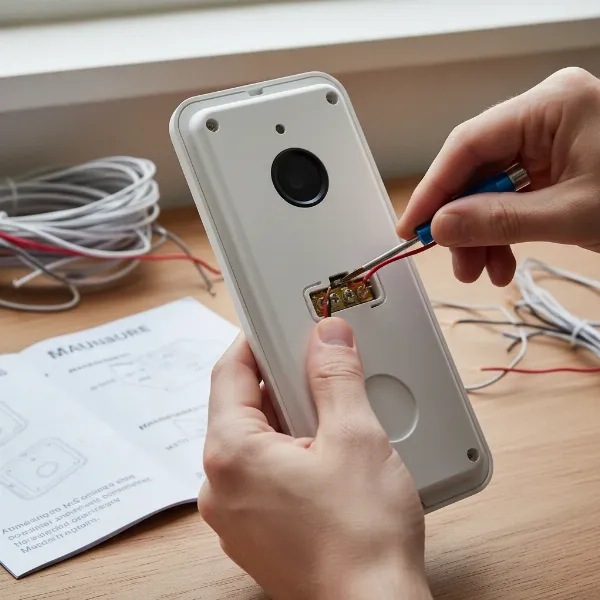 A close-up shot of hands carefully connecting wires to the back of a modern video doorbell during a DIY installation, with a screwdriver nearby.
Using Key Features:
- Live View: Access real-time video streaming from your doorbell camera via the app at any time.
- Two-Way Talk: Use the microphone and speaker in the app to speak with visitors, delivery personnel, or even deter suspicious individuals.
- Motion Alerts: Customize motion zones and sensitivity settings in the app to receive alerts only for relevant activity.
- Event History: Review recorded video clips triggered by doorbell presses or motion detection, often stored in the cloud or locally.
- Smart Home Integration: Link your video doorbell to smart assistants (Alexa, Google Assistant) to receive announcements, display video feeds on smart screens, or incorporate it into automation routines.
Common Troubleshooting Tips:
- No Power/Not Turning On: Double-check the circuit breaker and wiring connections. For battery models, ensure the battery is charged and correctly inserted.
- Wi-Fi Connectivity Issues: Reboot your router and smartphone. Ensure your phone is connected to a 2.4 GHz network during setup. If using a Wi-Fi repeater, ensure it has a different SSID than your main router.
- Delayed Notifications: Check your Wi-Fi signal strength at the doorbell location. A weak signal can cause delays. Optimize app settings for faster notifications.
- Chime Not Working: If using an existing indoor chime, ensure the chime kit (often included with wired doorbells) is correctly installed and configured in the app.
- Too Many False Alarms: Adjust motion sensitivity and customize motion zones in the app to focus on relevant areas and exclude busy streets or swaying trees.
- Image Washed Out at Night: Ensure no bright light sources are directly facing the camera at night, as this can affect clarity.
Following these guidelines will help ensure your video doorbell is installed correctly and performs optimally, enhancing your home’s security and convenience.
Important Considerations for Video Doorbell Use
While video doorbells offer significant benefits, it’s crucial to be aware of certain considerations to ensure responsible and secure usage. These often revolve around privacy, legal compliance, and ongoing device maintenance.
Personal Information Security:
- Strong Passwords: Always use strong, unique passwords for your video doorbell account and any associated smart home apps. Enable two-factor authentication where available.
- Secure Wi-Fi Network: Ensure your home Wi-Fi network is secure with a strong password and WPA2/WPA3 encryption to prevent unauthorized access to your devices and footage.
- Cloud Storage Security: If your doorbell uses cloud storage, verify that the provider employs robust encryption and security measures. Regularly review privacy settings within the app. Some brands have faced scrutiny regarding data sharing practices.
- Data Minimization: Keep recordings only as long as necessary. Set a regular schedule for deleting outdated footage to comply with data minimization principles and reduce potential privacy risks.
Legal and Privacy Regulations:
- Expectation of Privacy: While generally legal to record video in public spaces or on your own property, avoid pointing cameras directly into neighbors’ private areas (e.g., windows, backyards). Focus the camera on your property and public pathways. Many modern systems offer “privacy masks” to digitally block out sensitive areas from recording.
- Audio Recording Laws: Laws regarding audio recording vary by region. In some places, “one-party consent” means you can record a conversation if you are part of it. However, recording private conversations without consent can be illegal in other jurisdictions. Be mindful of this when using two-way audio features.
- Signage: In some areas, or for cameras that capture public spaces, posting clear and visible signs to notify others that security cameras are in use and may be recording is a good practice, and sometimes a legal requirement.
- Community Association Policies: If you live in a condominium or HOA, check your community’s governing documents for any restrictions on installing external security devices or specific guidelines regarding camera placement and visibility.
- Law Enforcement Access: Understand your rights regarding law enforcement requests for footage. Generally, you are not obligated to hand over video footage without a warrant, though you can choose to do so voluntarily.
Device Maintenance and Care:
- Regular Cleaning: Keep the camera lens clean from dust, dirt, and cobwebs to ensure clear video quality.
- Software Updates: Regularly check for and install firmware updates. These updates often include security patches and new features that enhance device performance and protection.
- Battery Management (for wireless models): Monitor battery levels and recharge or replace batteries as needed to ensure continuous operation. Extreme temperatures can affect battery life.
- Wi-Fi Reliability: Periodically check your Wi-Fi signal strength to prevent connection issues, especially after network changes or if new obstacles appear.
- Physical Protection: Consider installing a weather-resistant cover or mount if your doorbell is exposed to harsh elements to prolong its lifespan.
By understanding these important considerations, you can maximize the benefits of your video doorbell while respecting privacy, adhering to legal standards, and ensuring long-term functionality.
Conclusion
The choice between a video doorbell and a standard bell is a clear indicator of how technology has reshaped our approach to home security and daily convenience. While traditional doorbells simply alert you to a visitor, video doorbells empower you with real-time visual monitoring, two-way communication, and robust security features that extend your eyes and ears to your doorstep, no matter where you are. They offer unparalleled peace of mind by deterring potential threats, preventing package theft, and providing valuable evidence when needed.
From defining your specific needs and setting a budget to understanding the differences between wired and wireless models, and comparing the diverse offerings from top brands like Ring, Nest, Arlo, Eufy, and Blink, selecting the right video doorbell involves careful consideration. Once installed, responsible usage, including attention to privacy settings, legal compliance, and routine maintenance, ensures that your device serves as a reliable guardian for your home. Ultimately, for modern homeowners prioritizing security, convenience, and control, the video doorbell undeniably emerges as the real winner.
Are you ready to elevate your home security and connect with your front door like never before?
Frequently Asked Questions
What is the main difference between a video doorbell and a standard doorbell?
A video doorbell offers live video streaming, two-way audio communication, and motion detection, allowing you to see and speak to visitors remotely via a smartphone app. A standard doorbell simply produces an audible chime to announce a visitor’s presence, without any visual or remote interaction capabilities.
Do all video doorbells require a monthly subscription?
No, not all video doorbells require a monthly subscription. While many popular brands offer subscription plans for cloud storage and advanced AI features, some brands (like Eufy) provide local storage options and core features without recurring fees, making them a cost-effective choice for long-term use.
Can video doorbells work without an internet connection?
Most video doorbells require a strong Wi-Fi connection to transmit video, send notifications, and enable remote access. Some models might still record locally to an SD card if the internet goes down, but you won’t receive real-time alerts or be able to view live footage remotely without an active internet connection.
Is it legal to record people with a video doorbell?
Generally, it is legal to record video on your own property and in public areas. However, avoid pointing the camera directly into private spaces like a neighbor’s window. Be mindful of local laws regarding audio recording, as some jurisdictions require consent from all parties in a conversation. Using privacy masks in the app can help avoid recording sensitive areas.
How long does a battery-powered video doorbell last on a single charge?
Battery life for wireless video doorbells varies significantly based on usage, motion activity, and environmental factors like temperature. Typically, they can last anywhere from one to six months between charges. Frequent live view access and numerous motion detections will drain the battery faster.
What resolution should I look for in a video doorbell?
For clear identification and good detail, aim for a Video Doorbell with at least 1080p (Full HD) resolution. Many newer models offer 2K (Quad HD) or even 4K resolution, providing even sharper images and better digital zoom capabilities, which can be crucial for discerning faces or license plates.